
| Sv translation | ||||||||||||||||||||||||||||||||
|---|---|---|---|---|---|---|---|---|---|---|---|---|---|---|---|---|---|---|---|---|---|---|---|---|---|---|---|---|---|---|---|---|
| ||||||||||||||||||||||||||||||||
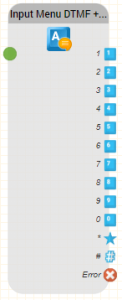
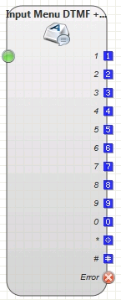
Function This module detects a DTMF input (tone dialling) or spoken words (ASR, Automatic Speech Recognition) and executes a branch in the program. To prompt the user to press a key, a voice prompt is played. If no input is recognised, or an incorrect digit is pressed or a word is not recognised, an error voice prompt can be configured which is played to reprompt the user to try again. Program execution continues using the output which corresponds to the DTMF key pressed or the word spoken. If this output is not connected, and the maximum number of allowed tries has not yet been reached, the error voice prompt is played and recognition is restarted. If the maximum number of tries is reached, program execution continues at the error output. If no object is connected to this output, the system hangs up. Parameters
Notes on speech recognition:Speech recognition does not recogniseunderstand every speaker and every word. Consider usingalternative command words if necessary. Short words, like “yes” areVery short words such as "no" can be more difficult to recognise. Ask callersTell the caller to speak slowly and clearly if the system does not recognise themanything. When specifying the command words consider how the word is spoken, rather, you should pay more attention to how a word sounds than how it is writtenactually spelt. This applies particularlyin particular to foreign words. The system will try to recognise these as if they had been spoken in the native language. For example:Support in German would be better like this: Sapport Download like this: Daunlohd
Alternative words or interpretations by the speech recogniser Some speech recognisers "interpret" the spoken words. For example, if you say the word "one", the Azure speech recogniser will return the result "1". So if you want a number to be spoken, be sure to enter this as an alternative. Examples
Outputs
|
| Sv translation | |||||||||||||||||||||||||||||||||
|---|---|---|---|---|---|---|---|---|---|---|---|---|---|---|---|---|---|---|---|---|---|---|---|---|---|---|---|---|---|---|---|---|---|
| |||||||||||||||||||||||||||||||||
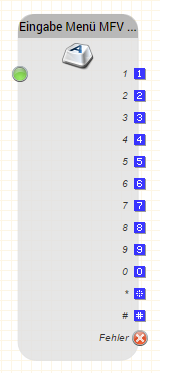
Funktion Erkennt eine MFV-Eingabe (Tonwahl, Mehrfrequenzverfahren, DTMF) und eine gesprochene Wörter (ASR, Automatic Speech Recognition) und führt einen entsprechenden Abzweig im Programm durch. Das Modul spielt als Aufforderung zur Eingabe eine Ansage ab. Wird keine Eingabe getätigt oder eine falsche Taste gedrückt oder Gesprochenes nicht erkannt, wird eine Fehleransage abgespielt und die Sprachansage für die Aufforderung wiederholt. Die Ausführung fährt an dem Ausgang fort, der mit der MFV-Eingabe oder dem Gesprochenen übereinstimmt. Ist der Ausgang mit keinem Objekt verbunden und die maximale Anzahl der Fehlversuche nicht erreicht, wird die Fehleransage abgespielt und eine neue Erkennung gestartet. Falls die maximale Anzahl an Fehlversuchen erreicht ist, wird mit der Ausführung am Fehlerausgang fortgefahren. Falls dort kein Folgeobjekt angegeben ist, legt das System auf. Parameter
Hinweis Hinweise zur Spracherkennung Die Spracherkennung versteht nicht jeden Sprecher und jedes Wort. Erwägen Sie ggf. alternative Kommandoworte. Sehr kurze Worte wie „ja" können schwieriger erkannt werden. Teilen Sie dem Anrufer mit, dass er langsam und deutlich sprechen soll, falls das System nichts erkennt. Bei der Angabe der Kommandowörter sollten Sie eher darauf achten wie ein Wort klingt, als wie es geschrieben wird. Dies gilt besonders für englische Wörter. Das System wird versuchen diese Wörter so zu verstehen als ob Sie in Deutsch gesprochen wurden. Beispiele:
Alternativworte bzw. Interpretationen durch den Spracherkenner Manche Spracherkenner "interpretieren" das gesprochene. Beispielsweise, sagen Sie das Wort "eins" so wird, beispielsweise der Azure Spracherkenner das Ergebnis "1" zurückliefern. Möchten Sie also, dass eine Zahl gesprochen wird, tragen Sie dies unbedingt auch als Alternative ein. Beispiele:
Ausgänge
| |||||||||||||||||||||||||||||||||
| Sv translation | |||||||||||||||||||||||||||||||||
| |||||||||||||||||||||||||||||||||
Fonction Ce module détecte une entrée DTMF (numérotation par tonalité) ou des mots parlés (ASR, Automatic Speech Recognition) et exécute une branche dans le programme. Pour inviter l'utilisateur à appuyer sur une touche, un message vocal est diffusé. Ce module détecte une entrée DTMF (numérotation par tonalité) ou des mots parlés (ASR, Automatic Speech Recognition) et exécute une branche dans le programme. Pour inviter l'utilisateur à appuyer sur une touche, un message vocal est diffusé. L'exécution du programme se poursuit en utilisant la sortie qui correspond à la touche DTMF enfoncée ou au mot prononcé. Si cette sortie n'est pas connectée et que le nombre maximum d'essais autorisés n'a pas encore été atteint, l'invite vocale d'erreur est jouée et la reconnaissance est relancée. Si le nombre maximum d'essais est atteint, l'exécution du programme se poursuit sur la sortie d'erreur. Si aucun objet n'est connecté à cette sortie, le système raccroche. Paramètres | |||||||||||||||||||||||||||||||||
| Nom de l'objet | Le nom de cette instance d'objet | ||||||||||||||||||||||||||||||||
Type d'Invite | Choisissez un type d'invite. | ||||||||||||||||||||||||||||||||
Invite vocale | Choisissez une invite | ||||||||||||||||||||||||||||||||
Erreur Type d'Invite vocale | Choisissez le Type d'erreur d'Invite vocale | ||||||||||||||||||||||||||||||||
Erreur Invite vocale | Choisissez l'invite vocale d'erreur. Ce paramètre est facultatif. Si vous | ||||||||||||||||||||||||||||||||
Lire Tonalité | Si vous utilisez cette option, le système émettra un signal sonore indiquant | La fréquence à laquelle l'objet est réexécuté en cas d'erreur de saisie | |||||||||||||||||||||||||||||||
Faire irruption | Si elle est activée, la saisie est autorisée pendant la lecture des messages vocaux. |
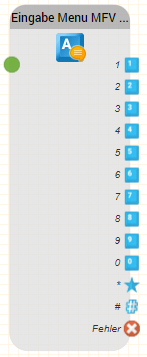
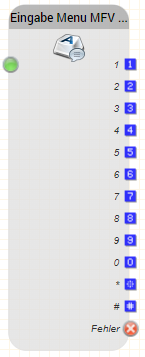
Sortie | Utilisé lorsque ... |
0 ... 9 | lorsque la touche correspondante est enfoncée et que cette sortie est connectée à un autre objet. |
* | lorsque la touche étoile est enfoncée et que cette sortie est connectée à un autre objet. |
# | lorsque la touche dièse est enfoncée et que cette sortie est connectée à un autre objet. |
Erreur | lorsque le nombre maximum d'essais est atteint. |