
Step by step guide
To do this, proceed as follows:
Under the menu item Routing, you will find the submenu item IVR statistics marker.
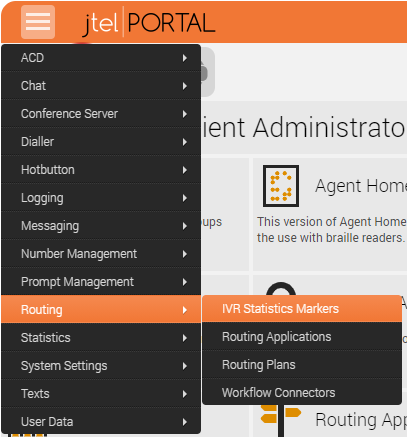
A table listing the existing IVR statistics markers is displayed here.
| Column | Meaning |
|---|---|
| Name | Name of the statistics marker |
| Type | Simple - used as a counter, e.g. how many times an object was passed in the routing application. Yes/No - used for example in customer satisfaction surveys as YES/No answer via DTMF=0/1 Rating - used for example as a rating in customer satisfaction surveys, for example. Possible values are 0 to 9 via DTMF |
| Prompt File | Announcement, which is to be output at the statistics marker and played back to the caller as a question. |
| Action | Edit Delete |
- With New you can create more IVR statistics markers. IVR statistics markers have only one name.
- It should be chosen wisely and care should be taken when placing an IVR statistics marker in the various call flows.
- Here you have to know as an administrator what you want to have evaluated.
It's application in the IVR:
For the use of the various statistics markers as objects in the IVR, please refer to the following pages:
| Page | Link |
|---|---|
| IVR Statistics Markers: | https://wiki.jtel.de/x/IwEF |
| IVR Statistics Markers variable: | https://wiki.jtel.de/x/8xSKAQ |
| Query statistics marker | https://wiki.jtel.de/x/BBWKAQ |
| Query statistics markers variable | https://wiki.jtel.de/x/IRWKAQ |
Statistics Marker Reports
- In the associated report, both IVR statistics markers and service numbers can be selected for containment.
- Report IVR Ststistics Report: https://wiki.jtel.de/x/HwAF
In addition, you can use graphic areas to provide related information, tips, or hints to users.