
| Sv translation | |||||||
|---|---|---|---|---|---|---|---|
| |||||||
This guide explains how to activate the jtel ACD using the Lightning SalesForce experience. PrerequisitiesThe following steps should be performed first: Call Center Adapter Installation
Create a new Lightning App
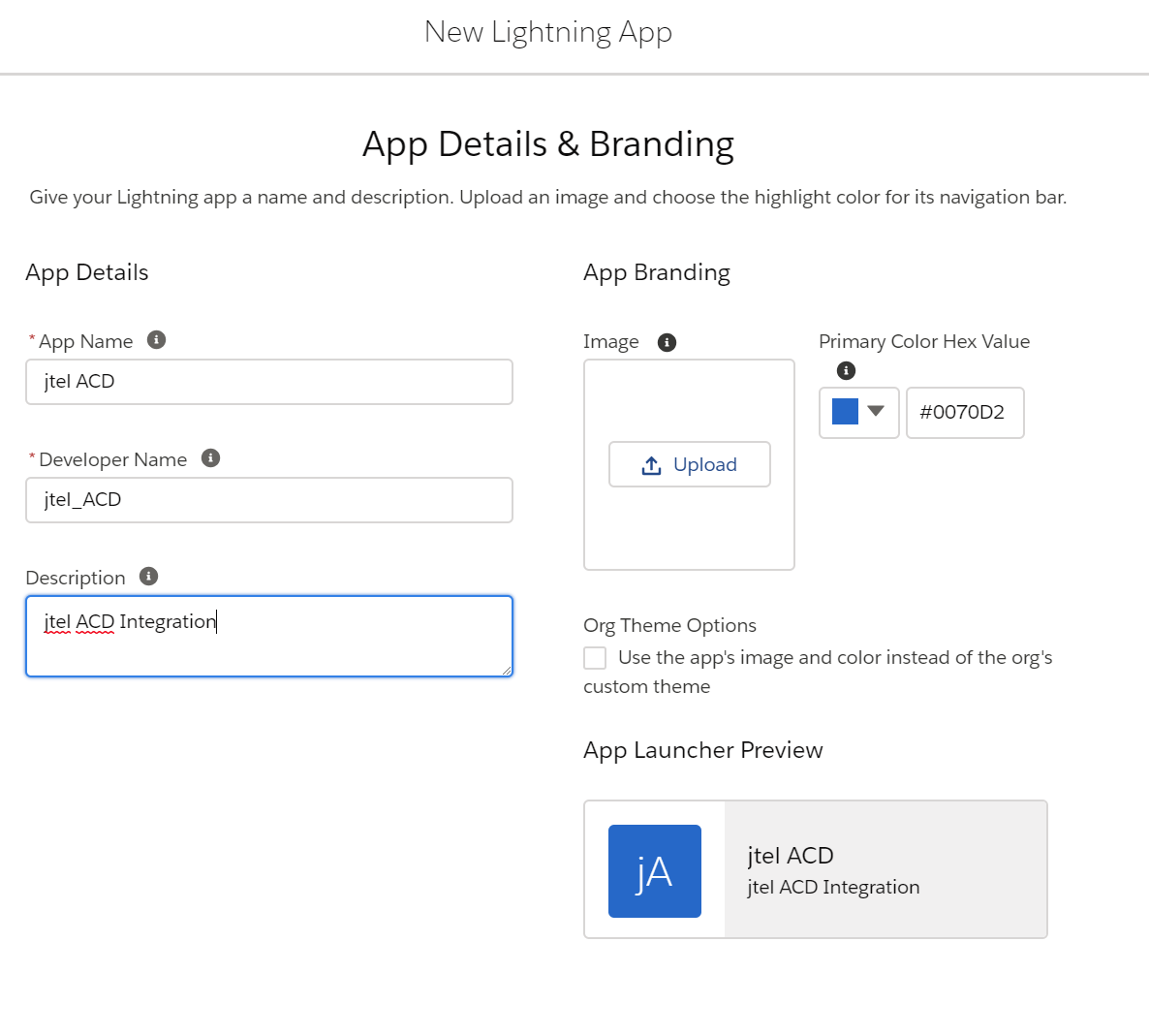
Using Setup in SalesForce, under Apps ... App Manager, create a new lightning app:
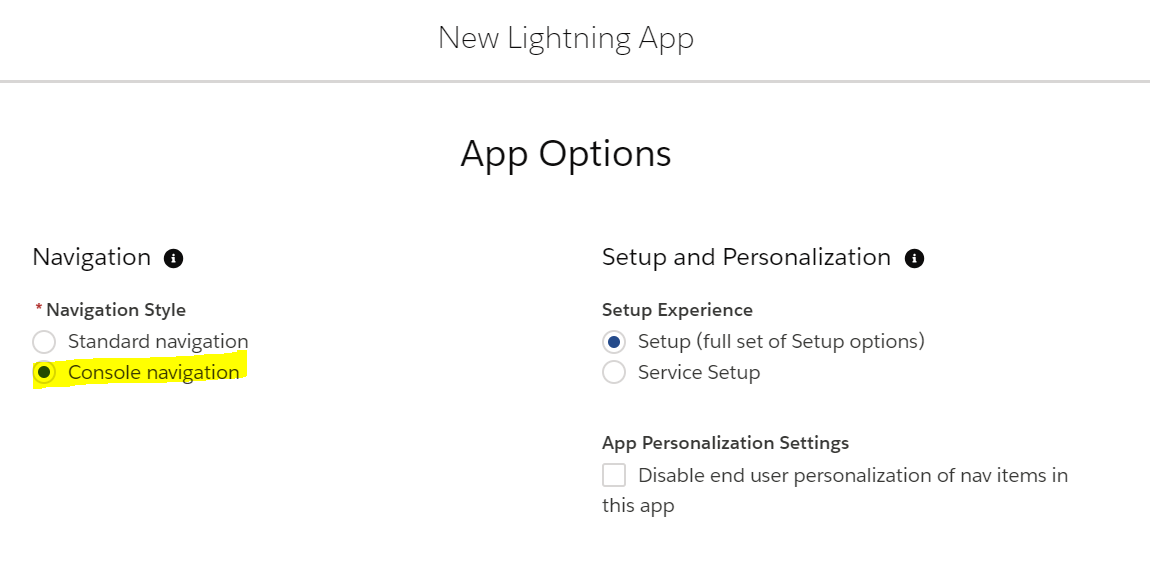
In the next page, select Console Navigation:
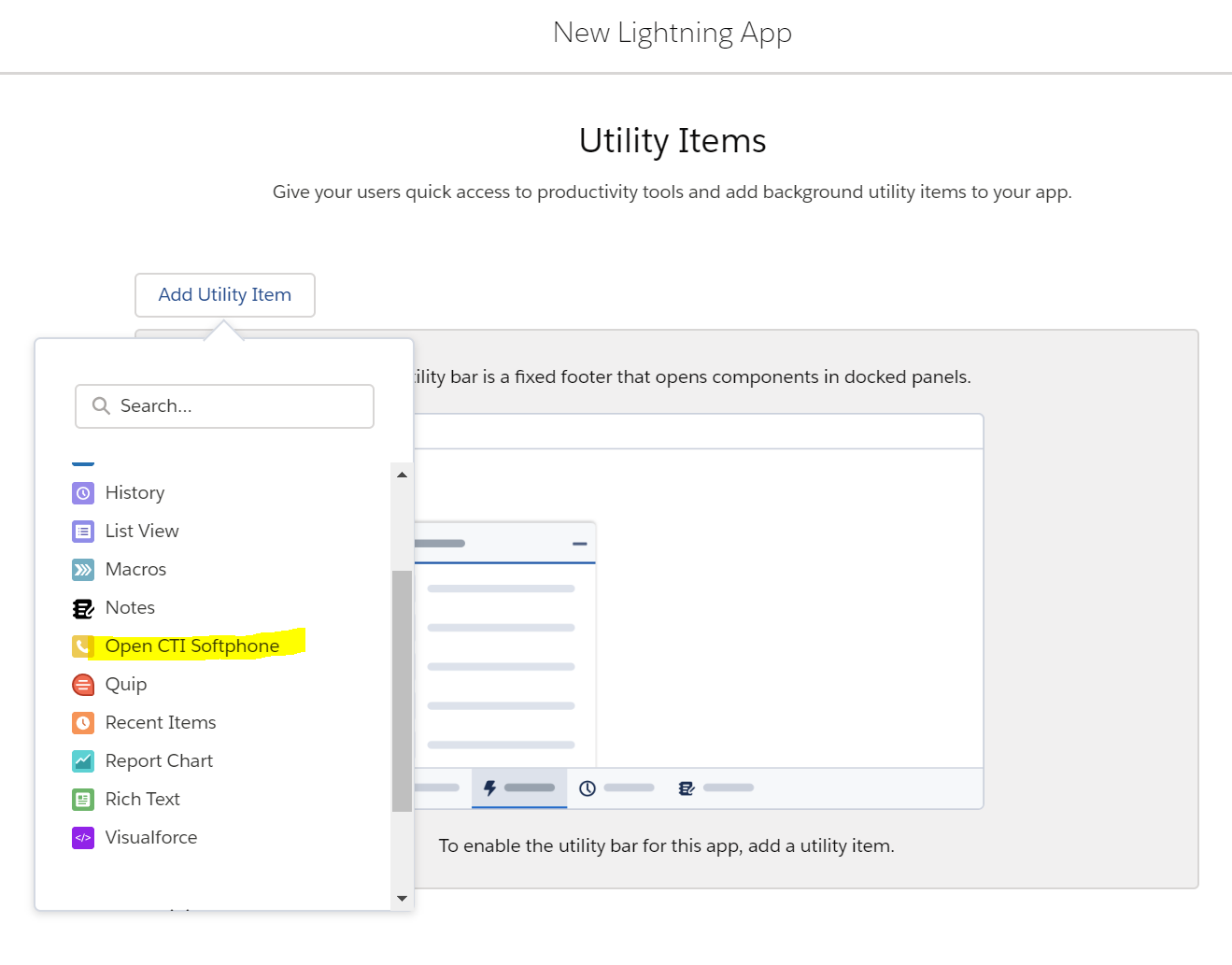
Add the Open CTI Softphone to the list of utility items:
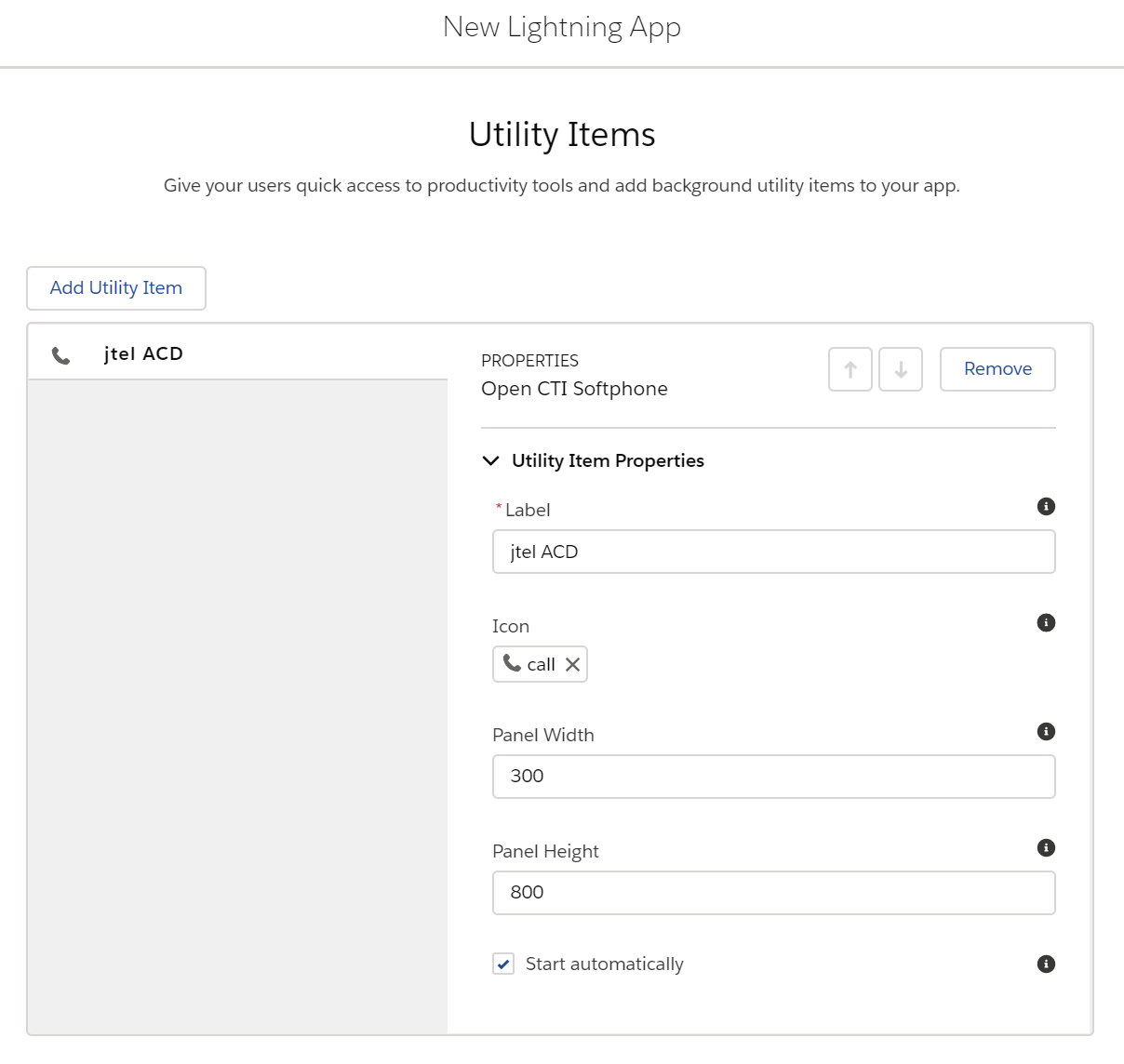
Customise the utility item as required:
In the next two screens, add and customise any further navigation items required. In the final screen, select which User Profiles will be given access to this app. |
| Sv translation | ||||||
|---|---|---|---|---|---|---|
| ||||||
|
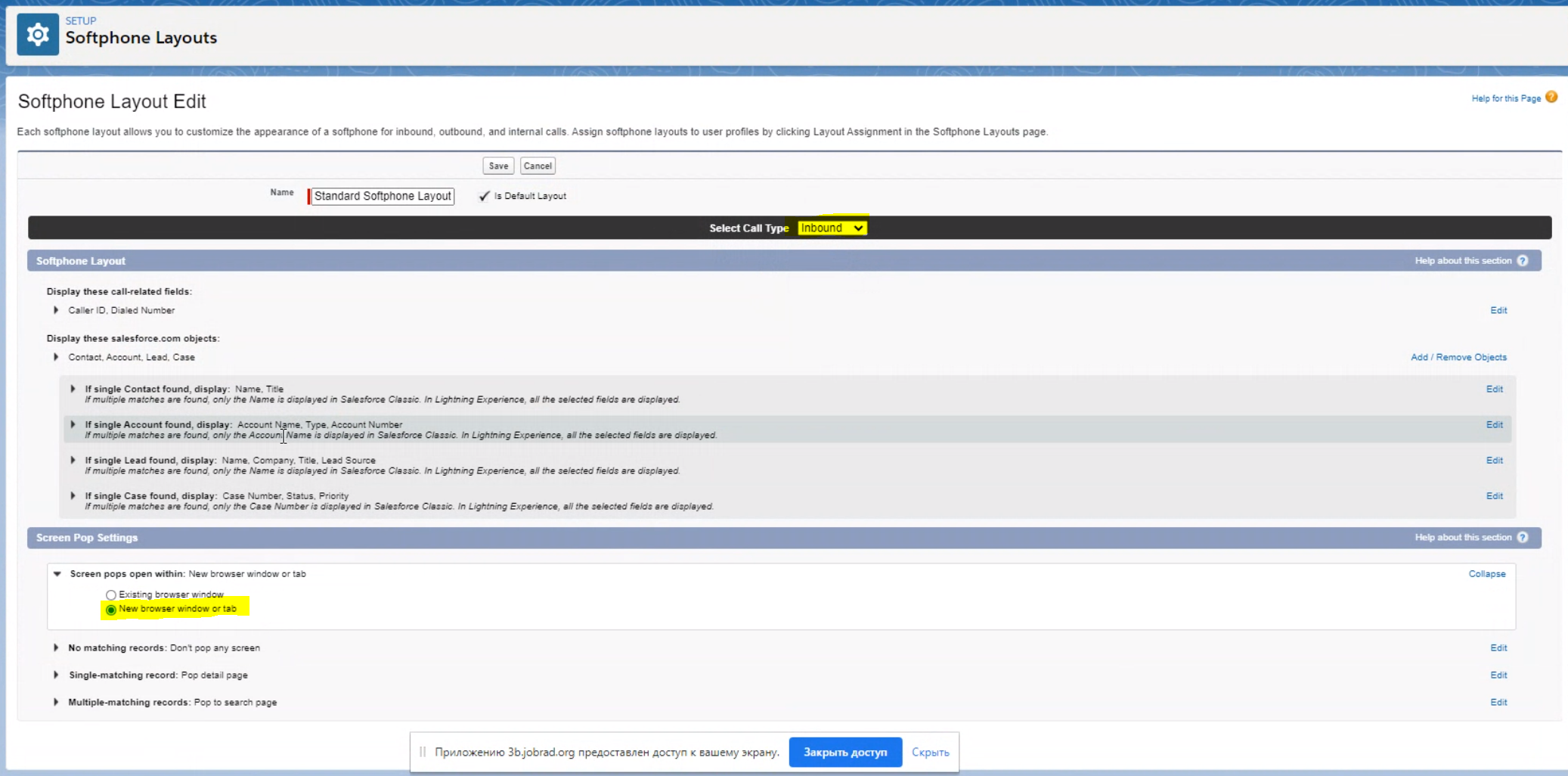
Popup OptionsLightning allows you to define how and where popups should occur. Search for Softphone Layouts in the settings, and check to see what is configured.
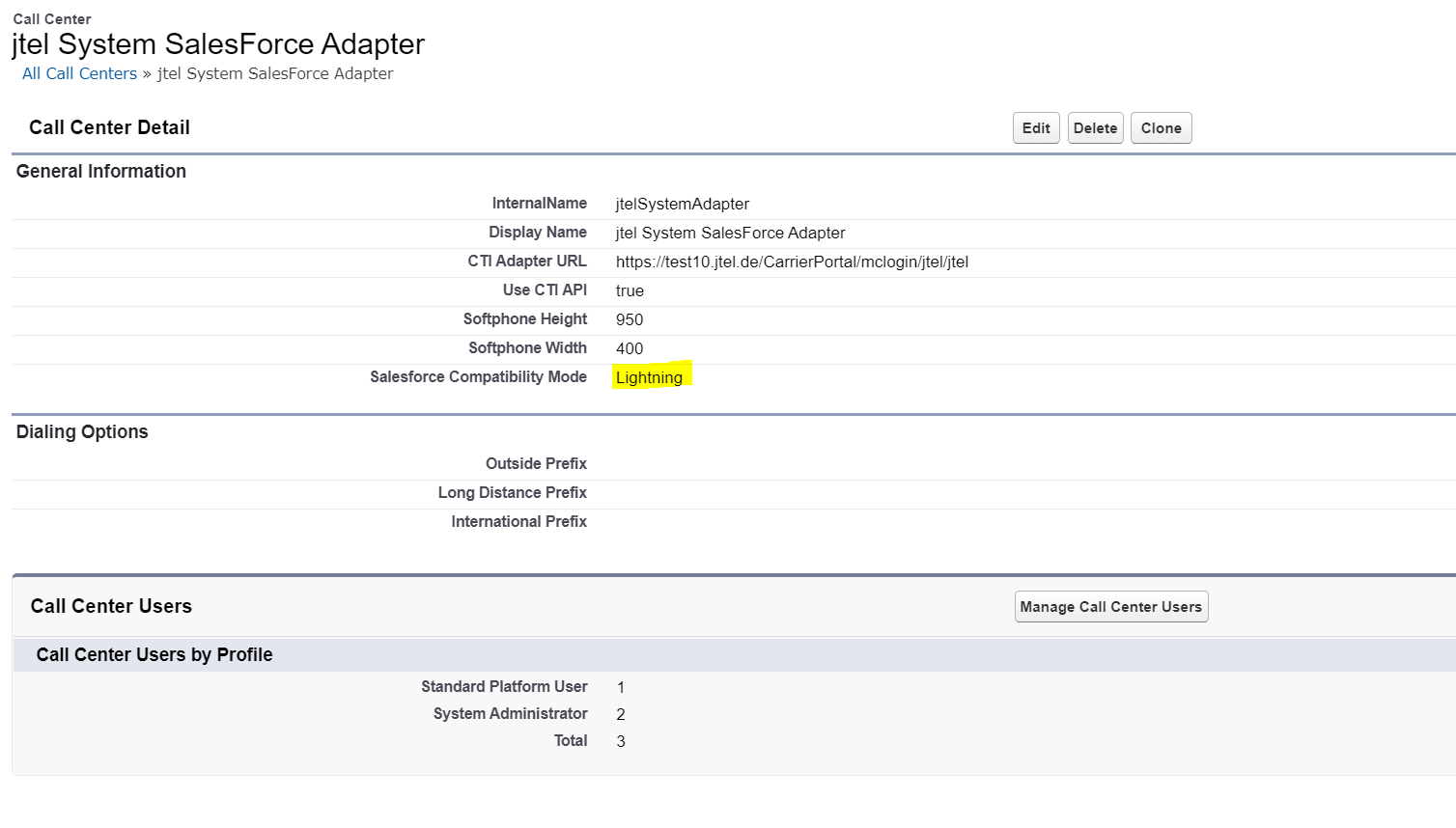
TroubleshootingSometimes, you might not see a salesforce popup on the screen, or that the telephone symbol is crossed out. This means that the integration is not working. Lightning or ClassicIf you are having problems with Lightning, try switching the integration over to Lightning only:
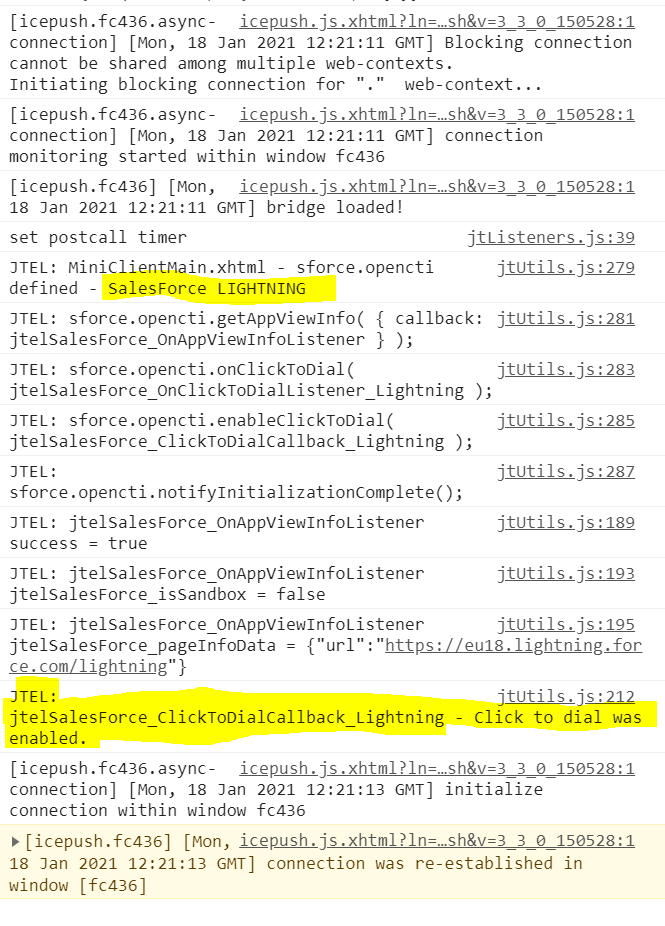
JavaScript DebuggingTo see what is actually happening when the screen pop is made, you can switch to the JavaScript debugging console:
If the integration is correctly initialised, you should see the lines above. |
| Sv translation | ||||||
|---|---|---|---|---|---|---|
| ||||||
| ||||||
| Sv translation | ||||||
| ||||||
Ce guide explique comment activer l'ACD jtel en utilisant l'expérience de Foudre SalesForce. Conditions préalablesLes étapes suivantes doivent être effectuées en premier lieu : Info | | |||||
|
| Info |
|---|
Remarque - vous pouvez également personnaliser une application Foudre existante. |
Utilisation de l'installation dans SalesForce, sous Apps ... App Manager, créez une nouvelle application Foudre:
Dans la page suivante, sélectionnez Navigation Console :
Ajoutez le téléphone logiciel Open CTI à la liste des objets utilitaires :
Personnalisez l'article utilitaire selon vos besoins :
Dans les deux écrans suivants, ajoutez et personnalisez tout autre élément de navigation nécessaire.
Dans l'écran final, sélectionnez les profils d'utilisateurs qui auront accès à cette application.