
| Status | ||||
|---|---|---|---|---|
|
Introduction
...
|
Function
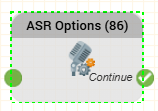
The , the new IVR object ASR Options can be used to configure the ASR behavior directly within a routing application.
...
This makes it possible, for example, to use the client default ASR provider for one part of a routing application and switch to another provider for a later part of the same call.
Parameters
...
Example of the ASR Options object in a routing application.
The object provides the following configuration options:
- ASR Provider
- Voicebot Recording
ASR Provider
| Object Name | The |
...
| name of this object instance |
| ASR Provider |
The ASR Provider option can be used to override the ASR provider configured for the client. Currently supported providers are:
If no ASR provider is selected, the existing client/default ASR configuration is used. The selected provider remains active for subsequent ASR operations until it is changed by another ASR Options object. | |
| Voicebot Recording* | The Voicebot Recording option controls whether the caller's Voicebot ASR utterances are recorded. Voicebot recording can be:
When enabled, the recorded ASR utterances are stored in the client-specific Voicebot recording directory and are available from the Call Log. The setting remains active until it is changed by another ASR Options object. |
...
* Voicebot Recording and Live Agent
Voicebot ASR recording is independent from Live Agent call recording - changing the Voicebot recording setting does not affect Live Agent call recording.
- When Voicebot recording is enabled using the ASR Options object, the caller's Voicebot ASR utterances are recorded.
- Live Agent transcription processes audio in real time and does not create a separate ASR recording
...
- - Live Agent call recording
...
- is controlled independently by the existing ACD Group recording configuration.
...
Outputs
| Output | Used when ... |
| Continue | Always |