jtel has moved its repositories to a new location. See further below for instructions on how to change the URL of a GIT repository. Repository Locations | Repository | New Location | Recommendation |
|---|
| 8Server deploy | https://bitbucket.org/jtelgmbh/8-server-deploy.git | Set the new URL and continue as before. | | JTEL | https://bitbucket.org/jtelgmbh/jtel.git | Set the new URL and continue as before. | | JTELCarrierPortal | https://bitbucket.org/jtelgmbh/jtelcarrierportal.git | It is possible to change to the new URL, and fix the failed merge problem (see below). However, we recommend cloning this URL completely into a new directory. Cloing the new URL will also decrease the repository size considerably. | | jtel-system-java-services | https://bitbucket.org/jtelgmbh/jtel-system-java-services.git |
|
Using the Command LineFetch all from the new repository and checkout the branch you require. This example uses stable-3.15. | Translations Ignore |
|---|
| Code Block |
|---|
git remote set-url origin https://NEW_URL
git fetch --all --prune
git reset --hard origin/release/stable-3.15 |
|
Using Tortoise GITAlternatively, for Windows Repositories set the URL in Tortoise-GIT here: 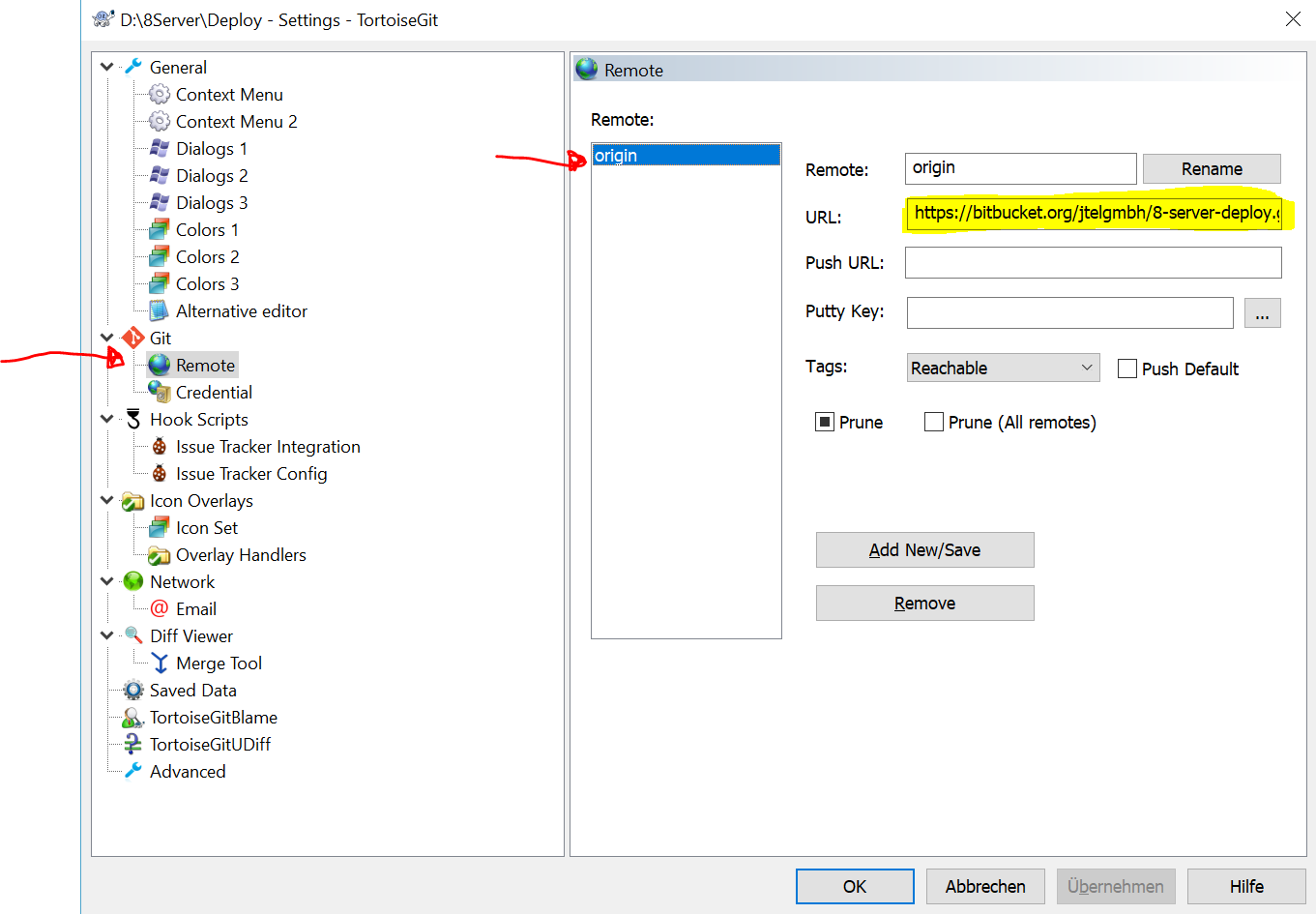
Then fetch and prune: 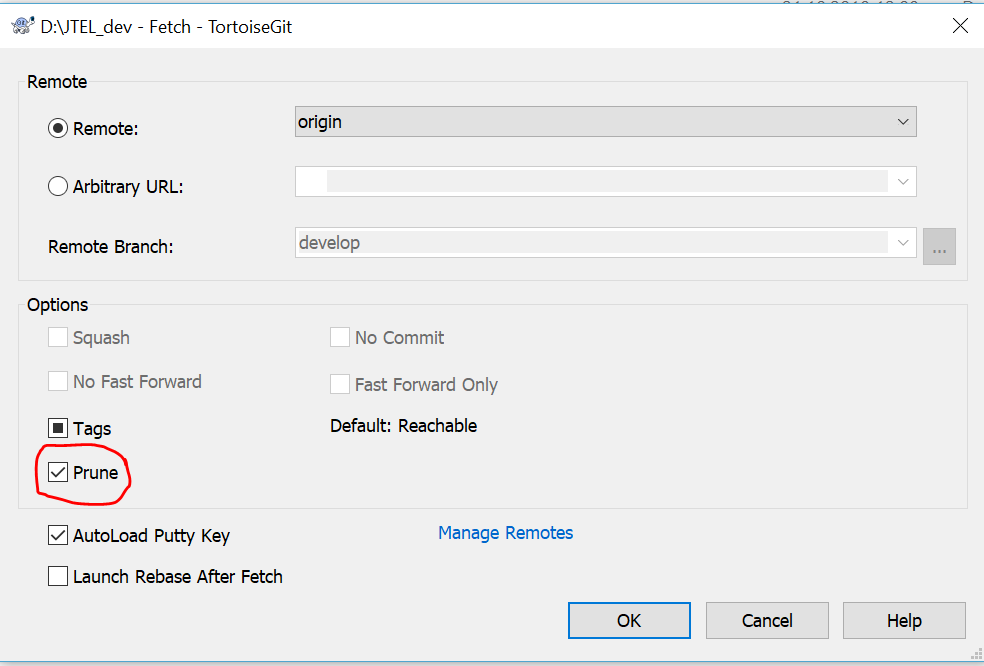
Then pull.
| 