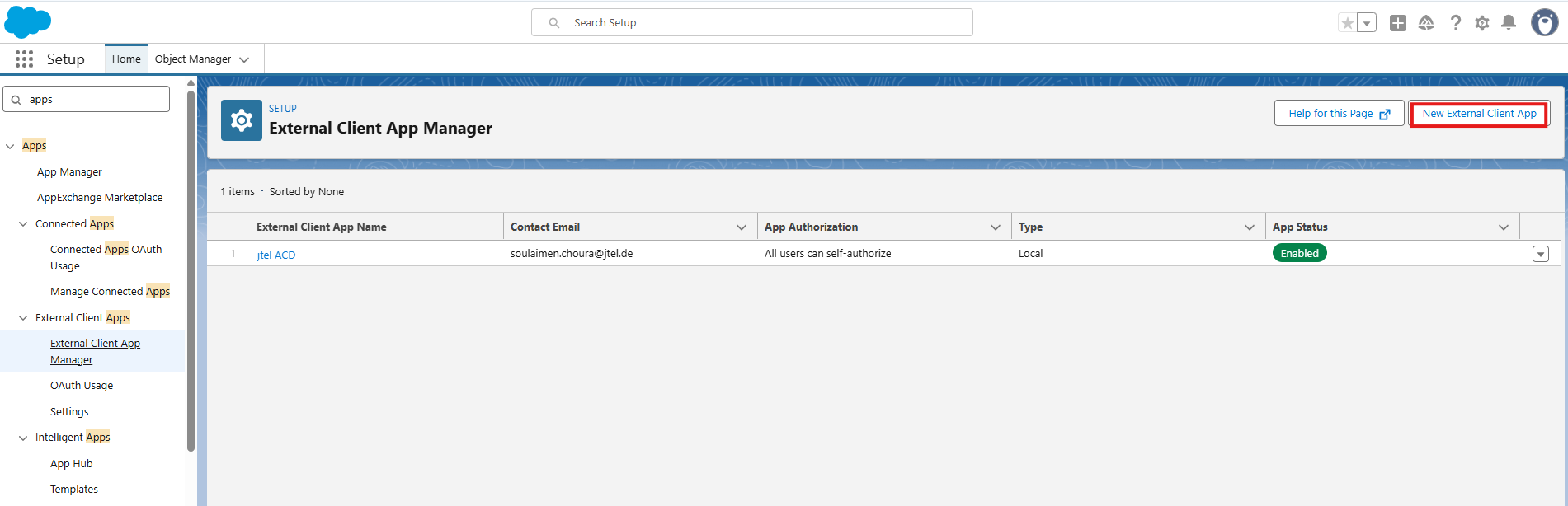
An External Client App must be configured in Salesforce.
Access Setup in Salesforce:
Search Setup → External Client App Manager
Open External Client App Manager and create a New External Client App.
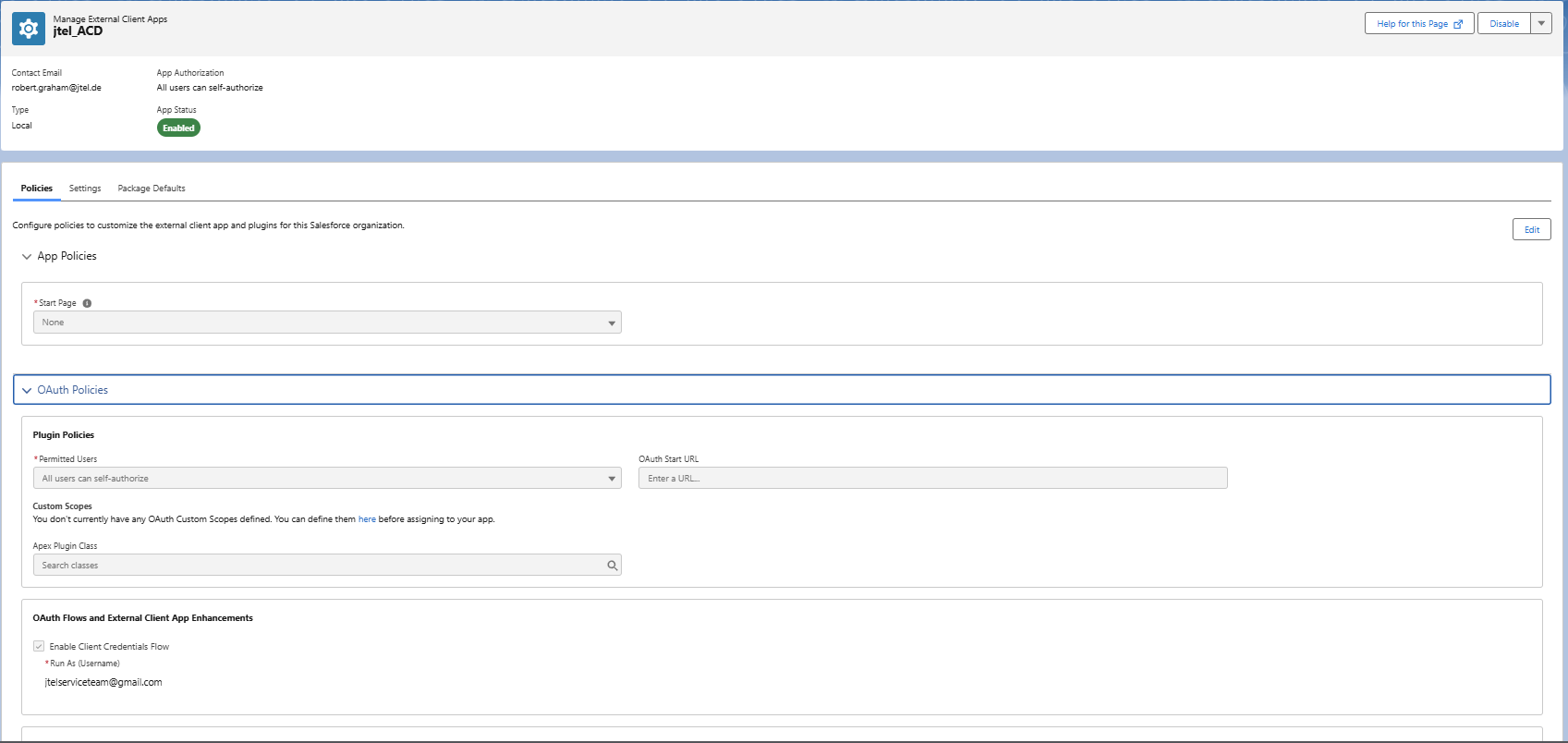
Configure the External Client App. The first page is "Policies". Make sure to enable the Client Credentials Flow and provide your admin e-mail.
The second page is settings. Make sure it looks like this:
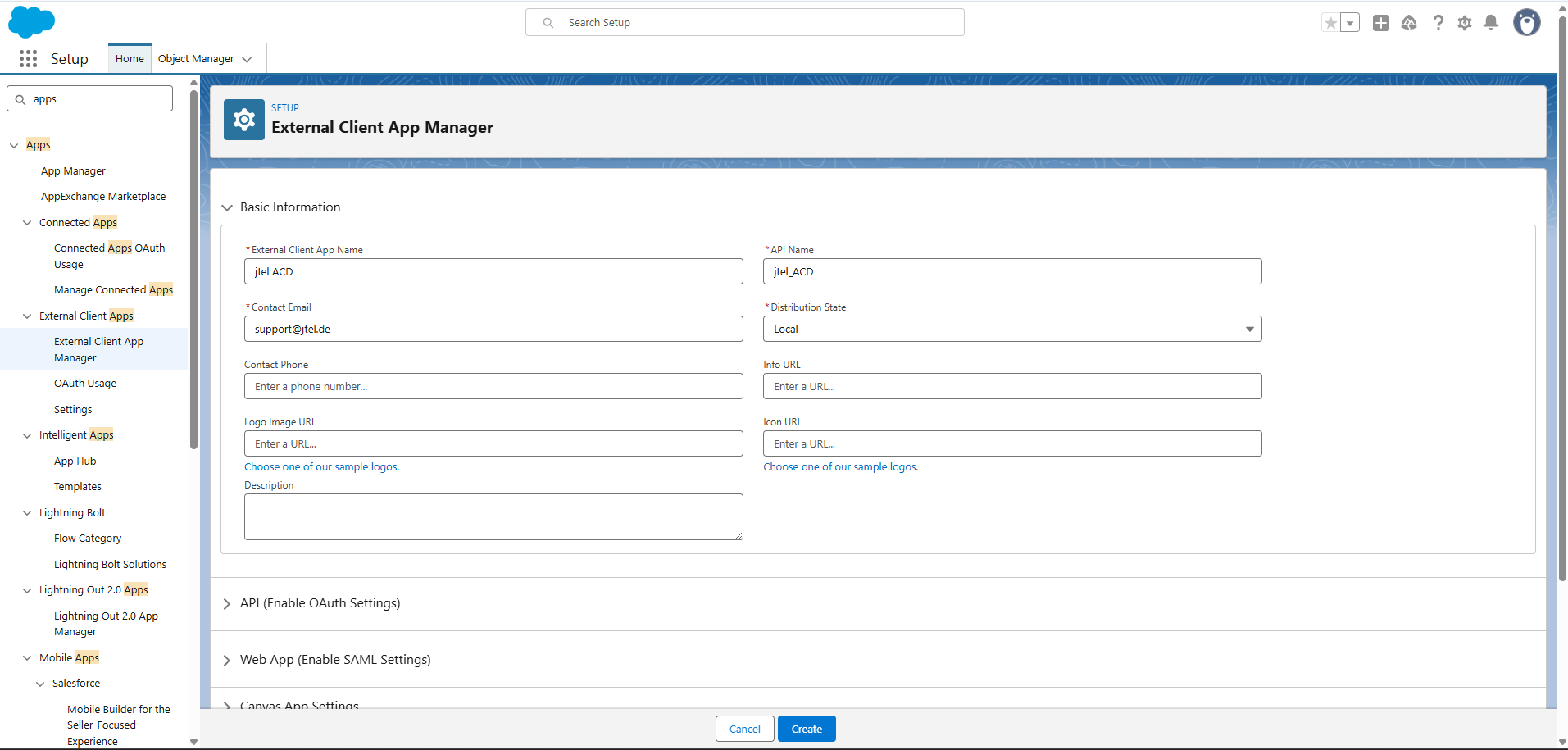
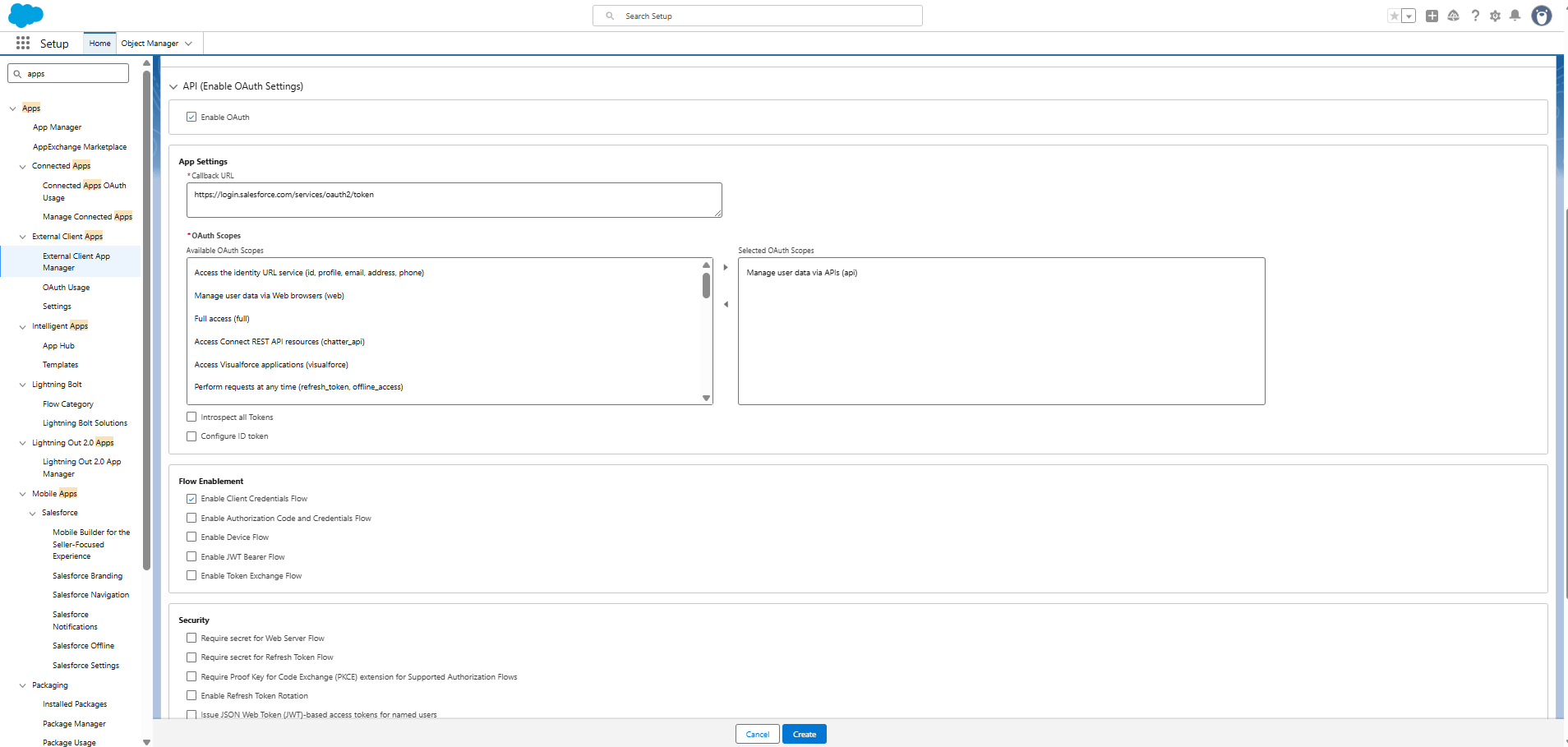
The most important settings are the following:
| Setting | Value | Explanation |
|---|---|---|
| Enable OAuth | ON | OAuth is required for the integration. |
| Callback URL | https://login.salesforce.com/services/oauth2/token(Production or Developer) https://test.salesforce.com/services/oauth2/token(Sandbox) | For authentication the jtel system uses the Salesforce OAuth token endpoint. |
| OAuth Scopes | Access and manage your data (api) | The jtel system requires API access to the Salesforce instance. |
| Flow Enablement | Enable Client Credentials Flow | Required for authentication using External Client Apps. |
| Client Credentials User | Integration User | Defines the Salesforce user context used for API requests. |
Consumer Key and Consumer Secret
It can take some time for policies and rule settings to take effect. Wait a couple of hours and try again if the authentication fails with OAUTH ERROR on your first attempt, or if you are unable to extract the Consumer Key and Secret in the admin interface.
After saving the External Client App configuration, the values
Consumer Key
Consumer Secret
can be obtained from the App Settings section.
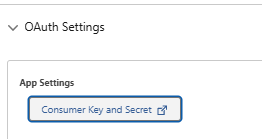

These values must be entered in the jtel Client Master Data configuration.
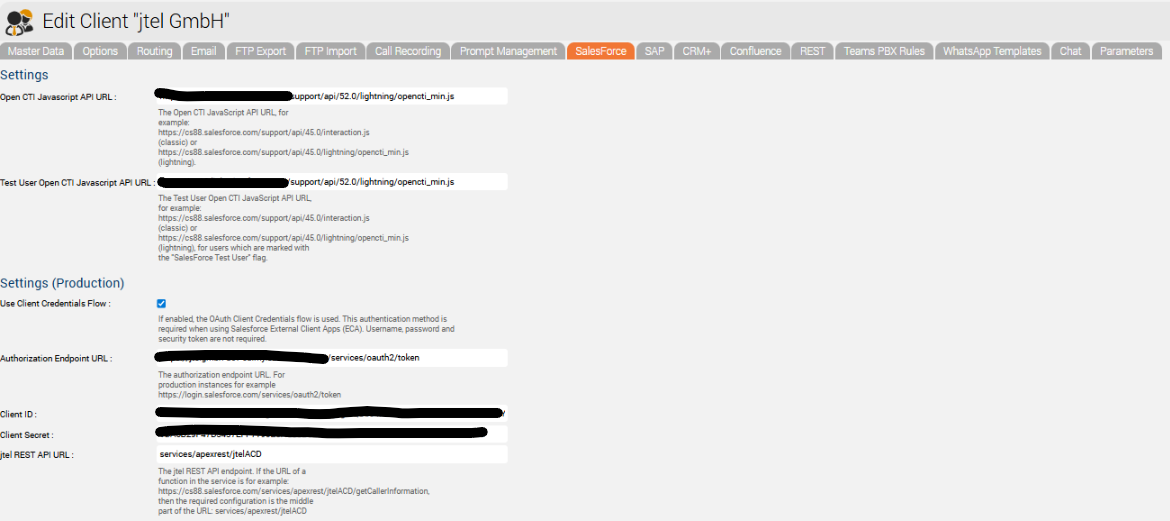
jtel Client Configuration
In the jtel portal the following parameters must be configured:
| arameter | Description |
|---|---|
| Use Client Credentials Flow | Enables OAuth Client Credentials authentication (required for External Client Apps). |
| Authorization Endpoint URL | Salesforce OAuth token endpoint. https://<your-domain>.my.salesforce.com/services/oauth2/token |
| Client ID | Consumer Key from Salesforce. |
| Client Secret | Consumer Secret from Salesforce. |
When using the Client Credentials flow, the following parameters are not required:
Username
Password
Security Token