
Activation
To activate the feature for users, proceed as follows:
- Log in as sysadmin.
- Navigate to Menu → System Settings → Resources → "Client Users".
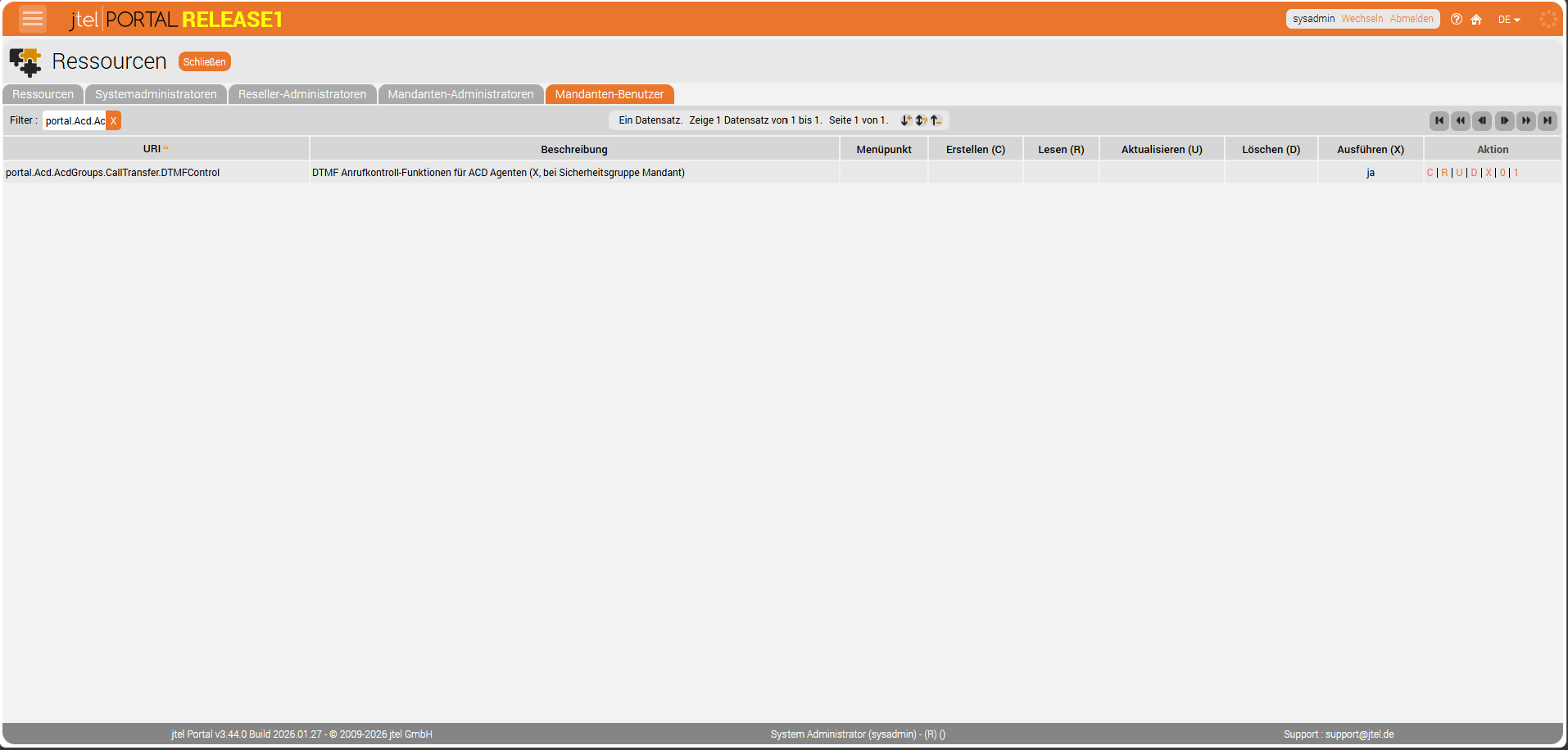
- Enter "portal.Acd.AcdGroups.CallTransfer.DTMFControl" in the filter field.
- Click the "X" button.
It should look as shown below — then the feature is activated.
The same process applies for Client Administrators
Usage
If you are currently in a call, you can use DTMF codes to control various system functions. Using the star key, you place the call on hold. With the number keys and the hash key, you select the required function. With the star key you retrieve the call as required.
The following diagram illustrates this:
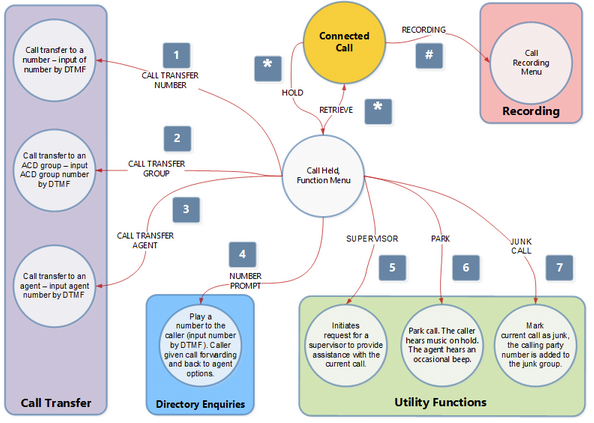
The available functions are:
| Function | Key or Key Combination |
Hold and retrieve | * |
Forward call to a number | *1, then telephone number |
Forward call to an ACD group | *2, then ACD group number |
Forward call to an agent | *3, then agent number |
Announce a number | *4, then telephone number |
Record call as junk. | *5 |
Park the call. | *6 |
Request that a supervisor join the call | *7 |
Call recording (menu) | # (without star!) |
Please note that, in certain scenarios, DTMF transmission may be unreliable and lead to unintended detections on both the client and server side. This can cause system functions to be triggered without any action by the agent. Investigating and resolving faulty DTMF transmission within network infrastructures can require significant time and financial resources.