
Introduction
The jtel Live Agent is an assistant for agents in the call center which provides the following functionality:
- Live transcription of calls (visible in Agent Home and the Supervisor)
- Assistance during calls, such as:
- Providing suggestions
- Extracting information from the conversation, such as a customer number or ticket number
- Assistance after the call, such as:
- Suggesting which transaction codes could be set for the call by the agent by analyzing the conversation
- Automatically providing a summary of the call which the agent can copy / paste into a CRM system, or which can automatically be uploaded to a CRM system via API calls
- Providing an automatic score or satisfaction rating on the conversation
The live agent makes use of the following technologies in the background:
- Live ASR, currently either
- Azure Speech Services ASR (Microsoft)
- Whisper ASR (jtel hosted or on premise)
- and an LLM (Large Language Model) to perform the analysis of the transcribed texts, which can be a cloud based service or an on premise service
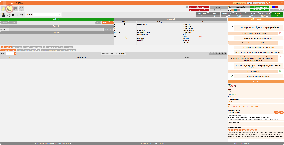
An example of the Live Agent in action is shown in the screenshot below (click to see more):
Legal Disclaimer
The live agent transcribes the conversation between a customer and an agent and in real time using an ASR engine.
Technologically:
- It is not necessary to make a call recording to use this technology.
The audio is processed in real time and not persisted to the system, the audio is not available after the call has been processed, unless, of course, you setup a call recording in parallel.
Legally:
- You must seek legal advice before using this technology. Use of the live-agent tool requires you to obtain all necessary legal consents, for example caller opt-ins, notification that the call will be processed using AI, employee consent and any other legal and data protection aspects which may be applicable to your country or region.
jtel GmbH disclaims all liability for any damages, losses or any other consequences resulting from your use of this technology in violation of any legal requirements.
Pre-Requisites
The following pre-requisites must be met:
- jtel Live Agent License
- A speech recognition license, either Azure or Whisper
- Installed AI Stack on your jtel system, comprising of, as a minimum:
- AI Pipeline (required by everything else)
- And optionally the following components must be installed:
- AI Summary Bot (creates a summary of the conversation)
- Suggestion Bot (makes suggestions during the conversation)
- TAC Configuration for Summary Bot (suggests Transaction Codes for the conversation)
- Satisfaction Configuration for Summary Bot (generates a satisfaction score for the conversation)
Configuration Parameters
The parameters required can either be set in the Client Master Data ... Parameters, or in the ACD Group ... Parameters for a specific ACD Group.
Parameters in an ACD Group will always override the settings at Client Parameters level. This way you can configure ACD Groups individually as necessary.
If a setting is not in ACD Group ... Parameters, the system will use the setting from Client Master Data ... Parameters.
The following parameters must be set:
Parameter: LiveAgent.Transcribe.Active
This setting defines whether the live agent is active for agents in the whole client or a particular ACD group.
We recommend setting this in ACD Group ... (specific ACD groups) ... Parameters.
Value
- 0 (or parameter not present) - the live agent will not be used
- 1 - the live agent is active and will be used in this ACD Group (or the whole client if configured at the client level)
Parameter: LiveAgent.Transcribe.Provider
This setting defines the ASR engine which will be used for transcription.
- Set to Azure if you are using
- Azure Speech Services
- Set to EnderTuring.v2 if you are using
- the jtel Whisper ASR
- or Ender Turing ASR
(which are API compatible).
If you are using one particular ASR engine, we recommend setting this in Client Master Data ... Parameters.
Allowed Values
- Azure
- Azure.v3
or - EnderTuring.v2
- Whisper.v3
Parameter: LiveAgent.AIPipeline.EndPoint
Set to the REST endpoint of the AI Pipeline Service in your installation.
Value
Parameter: LiveAgent.AIPipeline.Input
This setting defines the AIs which will be used during the conversation. Every time a speech recognition result is produced, the configured AIs will be queried to produce results.
- Set it in Client Master Data ... Parameters if this setting should be applied to all ACD groups which will use the live agent.
- Set it in the ACD Group Parameters for specific ACD Groups if you require different settings depending on the ACD Group used.
Currently the following is supported:
- Suggestions
This is a tailored bot which will make suggestions to the agent depending on the content of the call. Suggestions can include things like URLs to a customer in the CRM system or product URLs providing information on how to deal with particular enquiries.
If you are not using any AIs during the call, then provide an empty pipeline configuration.
Example Values
{
    "endpoints" : [
        {
            "type":"suggestions",
            "url":"http://acd-ragbot:4005/webhooks/rest/webhook",
            "input" : {
                "sender":"%Service.StatisticsPartAID_%",
                "message":"$ai_pipeline_input",
                "chatConnectorsHash": "<chat_conenctor_hash>"
             }
        }
    ]
}
{
    "endpoints" : [
    ]
}
Parameter: LiveAgent.AfterCallPipeline.EndPoint
Set to the REST endpoint of the AI Pipeline After Call Service in your installation.
Value
Parameter: LiveAgent.AfterCallPipeline.Input
This defines the after call pipeline for either the tenant as a whole, or for a specific ACD Group. This determines what AIs will be called after the call has completed.
The two examples shown below include:
- Summarization, Transaction Code Suggestions and Satisfaction
- Summarization only
Values
{
  "endpoints" : [
      {
          "type" : "summary",
          "url" : "http://acd-summary-bot:4002/api/v1/summary",
          "input" : $ai_pipeline_input
      },
      {
          "type" : "tacs",
          "url" : "http://acd-summary-bot:4002/api/v1/tacs",
          "input" : $ai_pipeline_input
      },
      {
          "type" : "satisfaction",
          "url" : "http://acd-summary-bot:4002/api/v1/satisfaction",
          "input" : $ai_pipeline_input
      }
  ],
  "respondTo" : {
      "host" : "acd-tel1",
      "port" : %ACD.UDP.Daemon.Port%,
      "message" : "AIDATA;AI_AFTERCALL_PIPELINE_RESULT;%Service.ClientsID_%;%QueueCheck.AgentDataID%;%CallTransfer.params.AcdConfigurationGroupsID%;%Service.StatisticsPartAID_%;%varCallData.ID%;AI_PIPELINE_OUTPUT=$ai_pipeline_output"
  }
}
{
  "endpoints" : [
      {
          "type" : "summary",
          "url" : "http://acd-summary-bot:4002/api/v1/summary",
          "input" : $ai_pipeline_input
      }
  ],
  "respondTo" : {
      "host" : "acd-tel1",
      "port" : %ACD.UDP.Daemon.Port%,
      "message" : "AIDATA;AI_AFTERCALL_PIPELINE_RESULT;%Service.ClientsID_%;%QueueCheck.AgentDataID%;%CallTransfer.params.AcdConfigurationGroupsID%;%Service.StatisticsPartAID_%;%varCallData.ID%;AI_PIPELINE_OUTPUT=$ai_pipeline_output"
  }
}
Parameter: LiveAgent.AfterCallPipeline.Prompts.SatisfactionBot
This is the prompt which will be used by the LLM to generate a customer satisfaction score.
You should tune this prompt to your specific needs, as the answers you will get from the LLM will totally depend on the question you ask the LLM.
Note the script at the bottom. This loops over the complete transcription of the conversation and passes it all to the LLM for processing.
Value
# Instructions
Please give me the most likely score from 0 to 10 the caller would give to the net promoter score question regarding his satisfaction in the following conversation.
Answer with a JSON structure like this:
{
  "score": score
  "reason":"your reason for selecting this score"
}

The score should be a number from 0 to 10 just like the caller might answer the net promoter question.
In the "reason" field please state clearly why you selected this score, including factors or statements in the conversation which led to this conclusion.

VERY IMPORTANT: Provide all answers in the German language.
VERY IMPORTANT: DO NOT RETURN TEXT. Only return a JSON structure as described above and DO NOT return any formatting or markup. Just the JSON structure as text.

# Conversation
{% for entry in conversationData.conversationEntries %}
  {% if entry.source == 'agent' %}
Agent: {{ entry.transcription }}
  {% else %}
Caller: {{ entry.transcription }}
  {% endif %}
{% endfor %}
Parameter: LiveAgent.AfterCallPipeline.Prompts.SummaryBot.DetectLanguage
This is the prompt which will be used by the LLM to detect the language of the conversation.
Note the script at the bottom. This passes the first 4 conversation entries to the LLM for processing This should usually be enough to reliably detect the language, but you can vary the counter if you want.
Value
# Instructions

Tell me what language this conversation was held in.
Please provide the answer as one word only - just the language name.

# Conversation
{% for entry in conversationData.conversationEntries %}
  {# Use up to 4 conversation entries for the language detection #}
  {% if loop.index <= 4 %}
    {% if entry.source == 'agent' %}
Agent: {{ entry.transcription }}
    {% else %}
Caller: {{ entry.transcription }}
    {% endif %}
  {% endif %}
{% endfor %}
Parameter: LiveAgent.AfterCallPipeline.Prompts.SummaryBot.Summarize
This is the prompt which will be used by the LLM to detect the language of the conversation.
You should most certainly modify this prompt to your particular needs. If you have different needs for each ACD Group then setup this parameter in each ACD Group as required.
Note the script at the bottom. This loops over the complete transcription of the conversation and passes it all to the LLM for processing.
Value
# Instructions

Please summarize only the most important information from this conversation using bullet points in {{ detected_language }}.
Use as much space as you need but only up to 512 characters.
If you need to leave anything out, make sure the most important information is included.
The most important information includes:
- customer numbers
- ticket numbers
- problems and resolutions

# Conversation
{% for entry in conversationData.conversationEntries %}
  {% if entry.source == 'agent' %}
Agent: {{ entry.transcription }}
  {% else %}
Caller: {{ entry.transcription }}
  {% endif %}
{% endfor %}
Parameter: LiveAgent.AfterCallPipeline.Prompts.TACBot
This is the prompt which will be used by the LLM to suggest transaction codes.
You should modify this prompt to your particular needs. If you have different needs for each ACD Group then setup this parameter in each ACD Group as required.
PLEASE DO NOT MODIFY THE PROMPT TO CHANGE THE REQUESTED RESULT FORMAT (JSON) AS THE SYSTEM WILL NOT WORK IF RESULTS ARE RECEIVED IN A DIFFERENT FORMAT.
Note the scripts at the bottom.
The first part loops over all transaction codes which will be the specific transaction codes which apply to conversations in the current ACD group.
The second part loops over the complete transcription of the conversation and passes it all to the LLM for processing.
Value
# Instructions
Please find the transaction codes (reasons for conversation) which apply to the following conversation.
Please only report transaction codes which actually happened, if nothing applies, then simply report an empty result.
Answer as a JSON array of objects with this structure:
{
   "ID":ID,
   "ExportKey":ExportKey,
   "reason":"your reason for selecting this transaction code"
}

In the "reason" field please state clearly why you selected this transaction code, including the questions or statements in the conversation which led to this conclusion.

VERY IMPORTANT: Provide the reason in German.
VERY IMPORTANT: DO NOT RETURN TEXT. Only return a JSON array as described above and DO NOT return any formatting or markup. Just the JSON as text.

# Transaction Codes
{% if transactionCodes %}
{% for entry in transactionCodes %}

## Transaction Code
ID: {{ entry.ID }}
ExportKey: {{ entry.ExportKey }}
Instructions: {{ entry.LLMPrompt }}
{% endfor %}
{% endif %}

# Conversation
{% for entry in conversationData.conversationEntries %}
  {% if entry.source == 'agent' %}
Agent: {{ entry.transcription }}
  {% else %}
Caller: {{ entry.transcription }}
  {% endif %}
{% endfor %}
Resources / Rights
The following resources / rights can be set per security group to allow access to the live agent:
| Resource | Right | Comments |
|---|---|---|
| portal.Acd.AcdSupervisor.LiveAgent | X | Whether supervisors can see the live agent area during a call when they access details for a particular call in the supervisor view. |
| portal.Acd.AgentHome.LiveAgent | X | Whether agents can see the live agent area in agent home. |
| portal.Acd.AgentHome.LiveAgent.AI.Assistant | X | Whether the AI assistant area is rendered. |
| portal.Acd.AgentHome.LiveAgent.AI.Assistant.Agent | X | Whether the AI assistant "agent" area is rendered. |
| portal.Acd.AgentHome.LiveAgent.AI.Assistant.Caller | X | Whether the AI assistant "caller" area is rendered. |
| portal.Acd.AgentHome.LiveAgent.AI.Assistant.Satisfaction | X | Whether the AI assistant "satisfaction" area is rendered (output from the caller satisfaction bot). |
| portal.Acd.AgentHome.LiveAgent.AI.Assistant.Suggestion | X | Whether the AI asssistant "Suggestions" area is rendered (suggestions provided during the call by the suggestions AI). |
| portal.Acd.AgentHome.LiveAgent.AI.Assistant.Summary | X | Whether the AI asssistant "Summary" area is rendered (the summarization output area provided by the summarization AI). |
| portal.Acd.AgentHome.LiveAgent.AI.Assistant.TAC | X | Whether the AI asssistant "TAC Suggestions" area is rendered (transaction code suggestions provided by the TAC AI). |
| portal.Acd.AgentHome.LiveAgent.AI.Transcription | X | Whether the AI "transcription" area is rendered (live transcription output for the call). |
Automatic or Manual CRM Output After Call Completion
FROM RELEASE 3.47
From release 3.47, a routing application can be executed after a Live Agent call has ended and the after-call AI processing has completed.
This can be used to pass Live Agent results to external systems or to continue customer-specific post-call processing, for example:
Storing AI-generated call results
Updating CRM data
Triggering follow-up actions
Continuing additional workflow steps
The routing application can either be executed automatically by the system or manually by the agent.
Routing Application
Configure the ID of the routing application which should be executed:
LiveAgent.AfterCallPipeline.RoutingApplicationsID = 1234
The value must contain the ID of the routing application to execute.
Execution Mode
The execution mode determines whether the routing application is started automatically or manually by the agent.
For automatic execution:
LiveAgent.AfterCallPipeline.ExecutionMode = AUTOMATIC
The routing application is executed automatically after the Live Agent after-call AI processing has completed.
For manual execution:
LiveAgent.AfterCallPipeline.ExecutionMode = MANUAL
The routing application is not executed automatically. Once the after-call AI result is available, the agent can execute the routing application manually using the CRM button.
Accessing the Live Agent AI Results
When the routing application is executed, the Live Agent AI results are available in the $workdata variable.
To inspect the available data and determine which variables can be used in the routing application, add a Dump Variable object to the routing application and inspect $workdata.
This makes it possible to see the available Live Agent results and use the required values for CRM integration or other post-call processing.
Client and ACD Group Configuration
The parameters can be configured in Client Master Data ... Parameters or in ACD Group ... Parameters.
Settings configured for an ACD Group override the corresponding settings configured at Client level.
Live Agent in the Mini Client
FROM RELEASE 3.47
From release 3.47, Live Agent functionality is also available in the Mini Client.
Agents can access Live Agent information from the new jtel.ai tab in the Mini Client.
Depending on the configured resources, the following information can be displayed:
Live transcription
AI assistant information for the agent
AI assistant information for the caller
AI suggestions
Call summary
Transaction Code suggestions
Customer satisfaction results
The Mini Client configuration is independent from Agent Home. This means Live Agent can be enabled or disabled separately for the Mini Client.
Resources / Rights
The following resources control the Live Agent functionality in the Mini Client:
| Resource | Right | Comments |
|---|---|---|
| portal.Acd.AgentMiniClient.LiveAgent | X | Whether agents can see the Live Agent area in the Mini Client. |
| portal.Acd.AgentMiniClient.LiveAgent.AI.Assistant | X | Whether the AI assistant area is rendered. |
| portal.Acd.AgentMiniClient.LiveAgent.AI.Assistant.Agent | X | Whether the AI assistant "agent" area is rendered. |
| portal.Acd.AgentMiniClient.LiveAgent.AI.Assistant.Caller | X | Whether the AI assistant "caller" area is rendered. |
| portal.Acd.AgentMiniClient.LiveAgent.AI.Assistant.Satisfaction | X | Whether the AI assistant "satisfaction" area is rendered (output from the caller satisfaction bot). |
| portal.Acd.AgentMiniClient.LiveAgent.AI.Assistant.Suggestion | X | Whether the AI assistant "Suggestions" area is rendered (suggestions provided during the call by the suggestions AI). |
| portal.Acd.AgentMiniClient.LiveAgent.AI.Assistant.Summary | X | Whether the AI assistant "Summary" area is rendered (the summarization output area provided by the summarization AI). |
| portal.Acd.AgentMiniClient.LiveAgent.AI.Assistant.TAC | X | Whether the AI assistant "TAC Suggestions" area is rendered (transaction code suggestions provided by the TAC AI). |
| portal.Acd.AgentMiniClient.LiveAgent.AI.Transcription | X | Whether the AI "transcription" area is rendered (live transcription output for the call). |
The resources can be assigned through the corresponding security group rights.
The Mini Client Live Agent resources are disabled by default and must be enabled as required.
AI Transaction Code Suggestions
FROM RELEASE 3.47
From release 3.47, Live Agent AI Transaction Code suggestions are integrated with the existing jtel Transaction Code workflow in both Agent Home and the Mini Client.
Live Agent provides Transaction Code suggestions based on the conversation, but does not set or save a Transaction Code automatically.
When a Transaction Code is suggested by Live Agent:
If the Transaction Code popup is opened automatically after the call, Transaction Codes suggested by Live Agent are highlighted in the existing popup.
If the popup is not opened automatically, the agent can click a Live Agent Transaction Code suggestion to open the Transaction Code history popup for the corresponding finished call. The selected suggestion is highlighted.
The agent must confirm the Transaction Code using the existing Set / Reset functionality.
Existing Transaction Code rules remain unchanged, including mandatory Transaction Codes and the maximum number of Transaction Codes which can be assigned to a call.
Popup Integration
The popup integration can be controlled separately for Agent Home and the Mini Client.
For Agent Home:
portal.Acd.AgentHome.LiveAgent.AI.Assistant.TAC.Popup
For the Mini Client:
portal.Acd.AgentMiniClient.LiveAgent.AI.Assistant.TAC.Popup
These resources control whether Live Agent Transaction Code suggestions can interact with the existing Transaction Code popup workflow.
The AI suggestions remain advisory. The final Transaction Code selection is always performed by the agent.
AI Conversation Logging Control
FROM RELEASE 3.47
From release 3.47, Live Agent conversation data can be excluded from the Call Log.
This can be useful when Live Agent should continue to use ASR, transcription and AI processing, but conversation-related content should not be written to the Call Log.
Configure the following parameter:
LiveAgent.CallLog.DisableConversationLogging = true
When enabled, the following Live Agent conversation-related entries are no longer written to the Call Log:
Live Agent ASR transcription results
AI pipeline input containing the conversation
After-call AI input containing the conversation
Normal technical Call Log entries remain unchanged.
Live Agent functionality also remains unchanged. ASR, transcription and AI processing continue to operate normally.
To keep the existing Call Log behavior, use:
LiveAgent.CallLog.DisableConversationLogging = false
If the parameter is missing or empty, the existing behavior also remains unchanged.
Client and ACD Group Configuration
The parameter can be configured in Client Master Data ... Parameters or in ACD Group ... Parameters.
A value configured for an ACD Group overrides the corresponding setting configured at Client level.