Overview
The Live Agent functionality in jtel Portal enhances call handling by integrating AI-powered live transcription, sentiment analysis, entity extraction, and real-time agent assistance. This feature enables supervisors and agents to process conversations efficiently with AI support.
Features
Live Transcription
Real-time transcription of ongoing calls using supported ASR (Automatic Speech Recognition) engines.
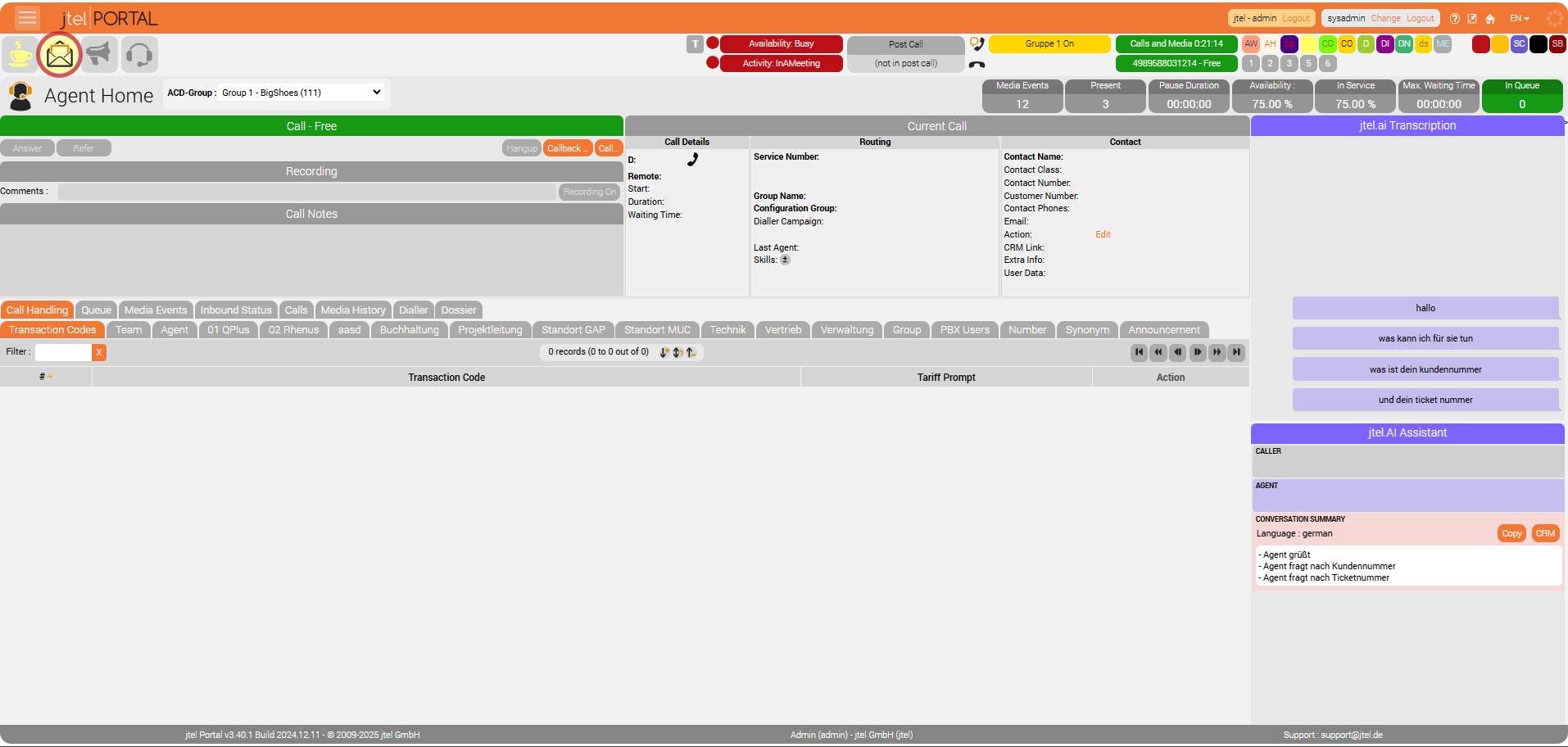
Displayed directly in Agent Home and Supervisor for both agents and supervisors.
AI-Powered Assistance
A chain of AI modules can be attached to the transcription process, offering:
Sentiment Analysis: Detects emotions in conversations, displaying icons for happy, neutral, or angry tones.
Entity Extraction: Identifies useful data such as:
Automatic CRM or ticket system link generation based on customer or ticket numbers.
Suggested transaction codes related to the call.
Summary extraction at the end of the call.
AI Pipeline Integration: Supports multiple AI models, including:
Microsoft Copilot
Existing chatbots
Custom AI solutions with REST API support.
Parallel AI Processing: Multiple AIs can process data simultaneously without delays.
Supervisor Features
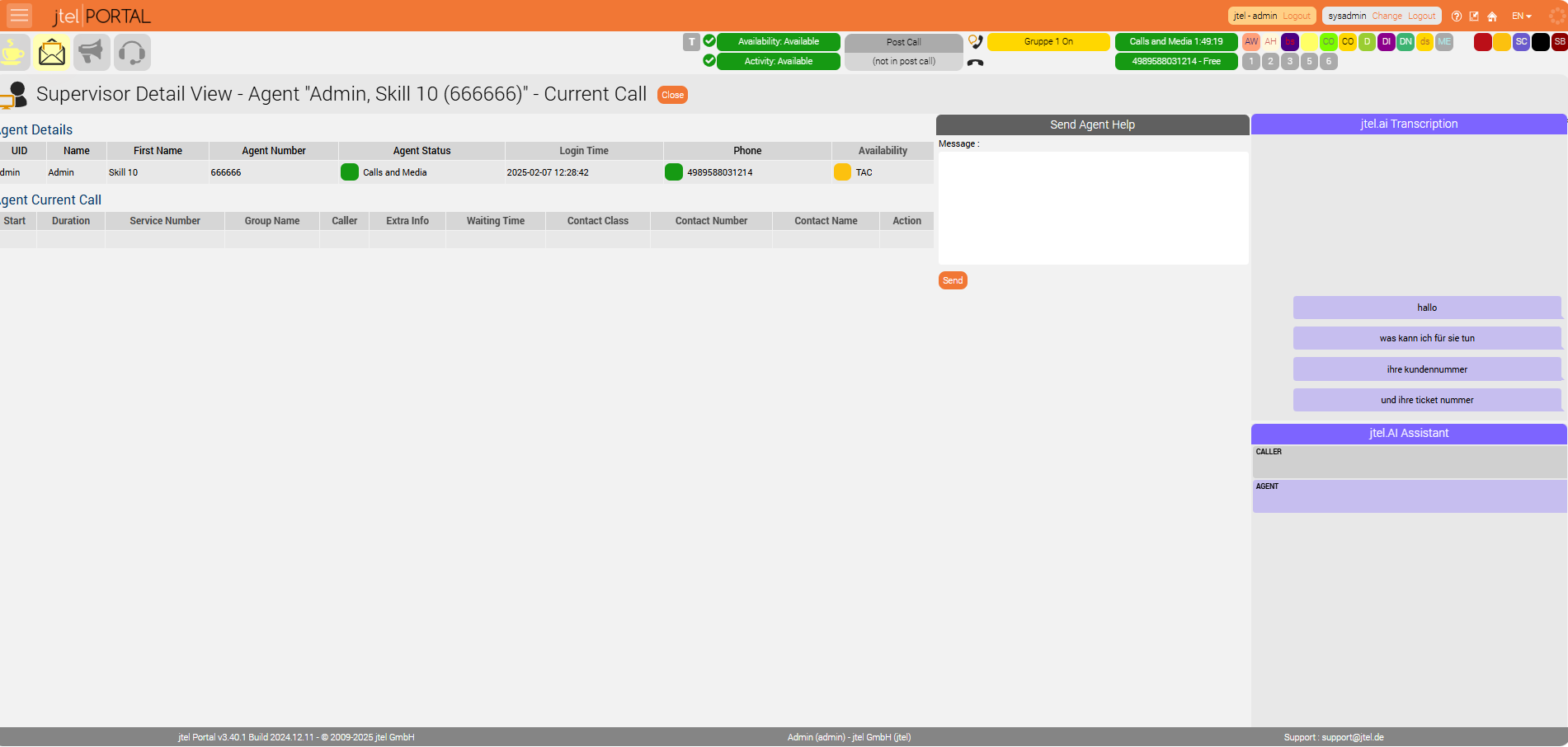
Supervisors can view live transcriptions.
Ability to send hints or comments to agents in real time.
Data Storage & Retrieval
Transcriptions and AI-generated results are stored in the database for future reference.
Can be accessed in reports and statistical overviews.
Configuration
Resource Activation
Ensure the following resources are allowed (Sysadmin - Resources)
portal.Acd.AcdSupervisor.LiveAgent
portal.Acd.AgentHome.LiveAgent
They Can be assigned per role (Client Admin / Client User).
Client Master Data - Parameters
In Client Master Data - Parameters. set AI Pipeline Configuration, After Call Pipeline Configuration and Transcription Provider
| Name | Value |
|---|---|
| LiveAgent.AIPipeline.EndPoint | http://<server>:<port>/api/v1/aipipeline |
| LiveAgent.AIPipeline.Input | { "endpoints": [ { "type": "suggestions", "url": "http://<server>:<port>/webhooks/rest/webhook", "input": { "sender": "%Service.StatisticsPartAID_%", "message": "$ai_pipeline_input" } }, { "type": "sentiment", "url": "http://<server>:<port>/api/v1/sentiment", "input": { "data": "$ai_pipeline_input" } } ] } |
| LiveAgent.AfterCallPipeline.EndPoint | http://<server>:<port>/api/v1/aftercall |
| LiveAgent.AfterCallPipeline.Input | { "endpoints" : [ { "type" : "summary", "url" : "http://<server>:<port>/api/v1/summary", "input" : $ai_pipeline_input } ], "respondTo" : { "host" : "%SERVER_IP_UDP_ADDRESS%", "port" : %ACD.UDP.Webserver.Port%, "message" : "NONCALL;AI_AFTERCALL_PIPELINE_RESULT;%QueueCheck.AgentDataID%;%Service.StatisticsPartAID_%;AI_PIPELINE_OUTPUT=$ai_pipeline_output" } } |
| LiveAgent.Transcribe.Provider | EnderTuring.v2 (or Azure...) |
User Settings
Activate Live Agent functionality per user role:
- Agent Settings:
LiveAgent.AgentHome.Active: 1 or 0 - Supervisor Settings:
LiveAgent.Supervisor.Active: 1 or 0
Licensing & Activation
This feature requires special activation by jtel.
Additional licenses may be required.
Contact jtel support for further details.
Example Interface
Agent Home View
Refer to the screenshot below for a visual representation of Live Agent in Agent Home.
Supervisor Detail View
Supervisors can see the agent’s current call, live transcription, and send direct messages to guide the agent during the call.