
| Sv translation | |||||||||||||||||
|---|---|---|---|---|---|---|---|---|---|---|---|---|---|---|---|---|---|
| |||||||||||||||||
A Connected App must be configured in SalesForce. Of course, an existing one can be used, if an appropriate App is available and configured. Access Setup in SalesForce:
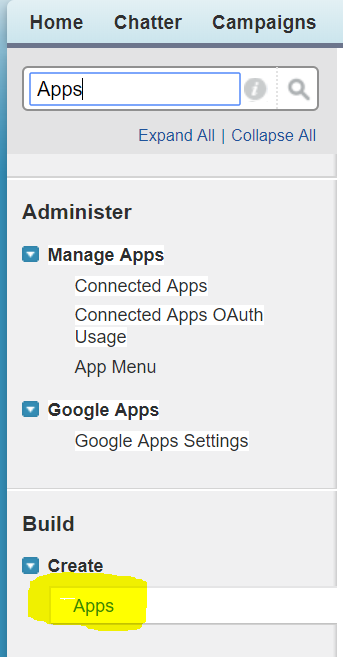
Enter "Apps" and select "Build ... Create ... Apps".
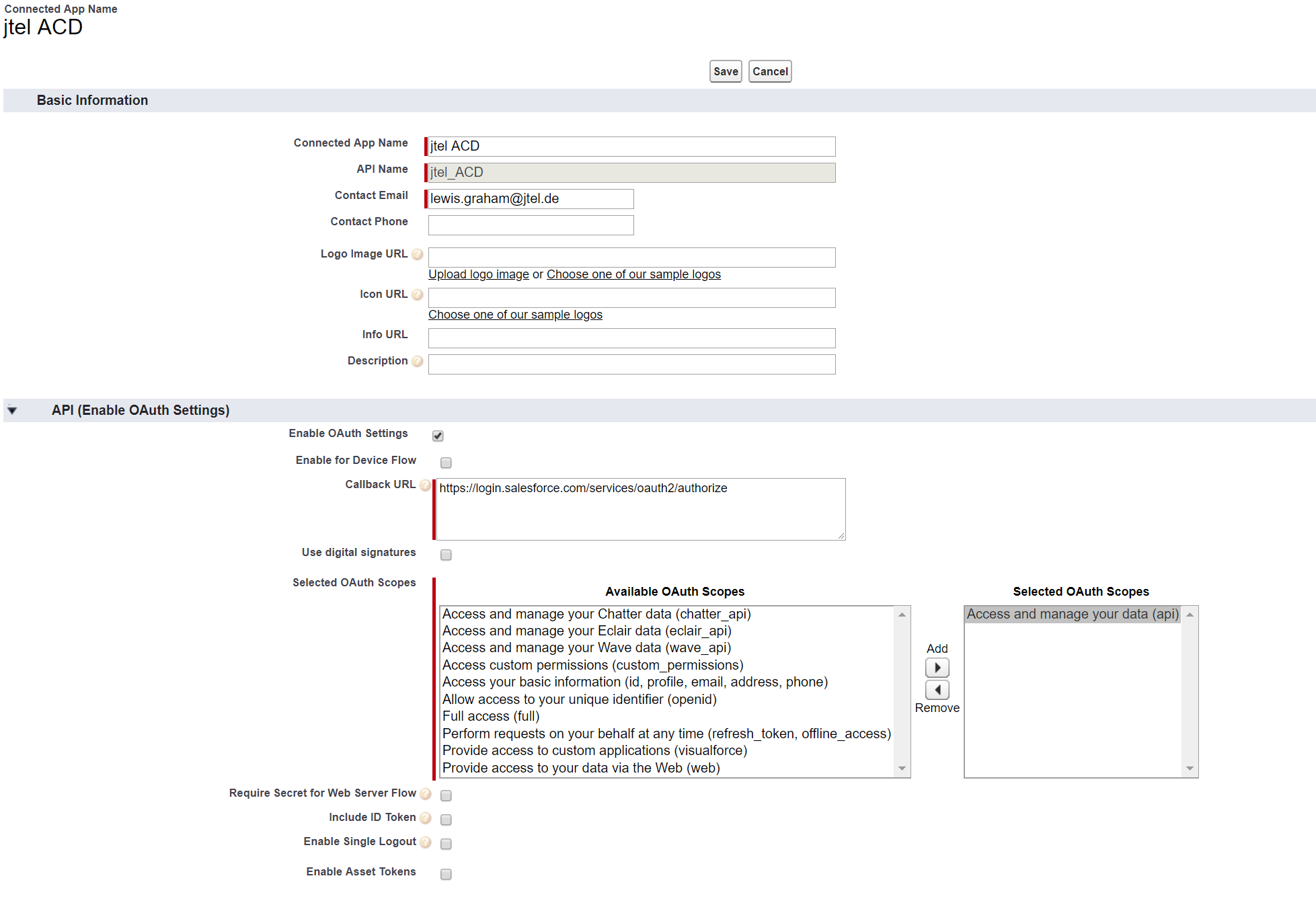
Create the connected app. The most important settings are the following:
The following screenshot shows an example configuration:
After saving the configuration, the settings "Consumer Key" and "Consumer Secret" can be obtained from the following page. These details must be provided to the jtel system in the next step, see Client Master Data. |

| Sv translation | ||||||
|---|---|---|---|---|---|---|
| ||||||
| ||||||
| Sv translation | ||||||
| ||||||
Une application connectée doit être configurée dans SalesForce. Bien entendu, une application existante peut être utilisée, si une application appropriée est disponible et configurée. Configuration de l'accès dans SalesForce :
Entrez "Apps" et sélectionnez "Construire ... Créer... Apps".
Créer l'application connectée. Les paramètres les plus importants sont les suivants: | ||||||
| Paramètres | Valeur | Explication | ||||
| Activer les paramètres OAuth | ON | OAUTH est obligatoire. | ||||
| URL de Rappel | https://login.salesforce.com/services/oauth2/token(Production ou développeur) | Le système jtel n'attend pas de rappels,donc l'URL d'autorisation est fournie ici. | ||||
| Domaines d'application OAuth sélectionnés | Accédez et gérez vos données (api) | Le système jtel nécessite l'accès aux données de l'instance SalesForce. |