
| Sv translation | ||||||||||||||||||
|---|---|---|---|---|---|---|---|---|---|---|---|---|---|---|---|---|---|---|
| ||||||||||||||||||
IntroductionThis page provides a guide to the required configuration to activate the jtel Teams Presence API in your jtel system. The API functions are described in detail at this page. Azure Configuration - PrerequisitesThe configuration should be done by a Azure AD Tenant Administrator. The configuring user must have access to the following:
Azure Configuration - Step by Step Guide
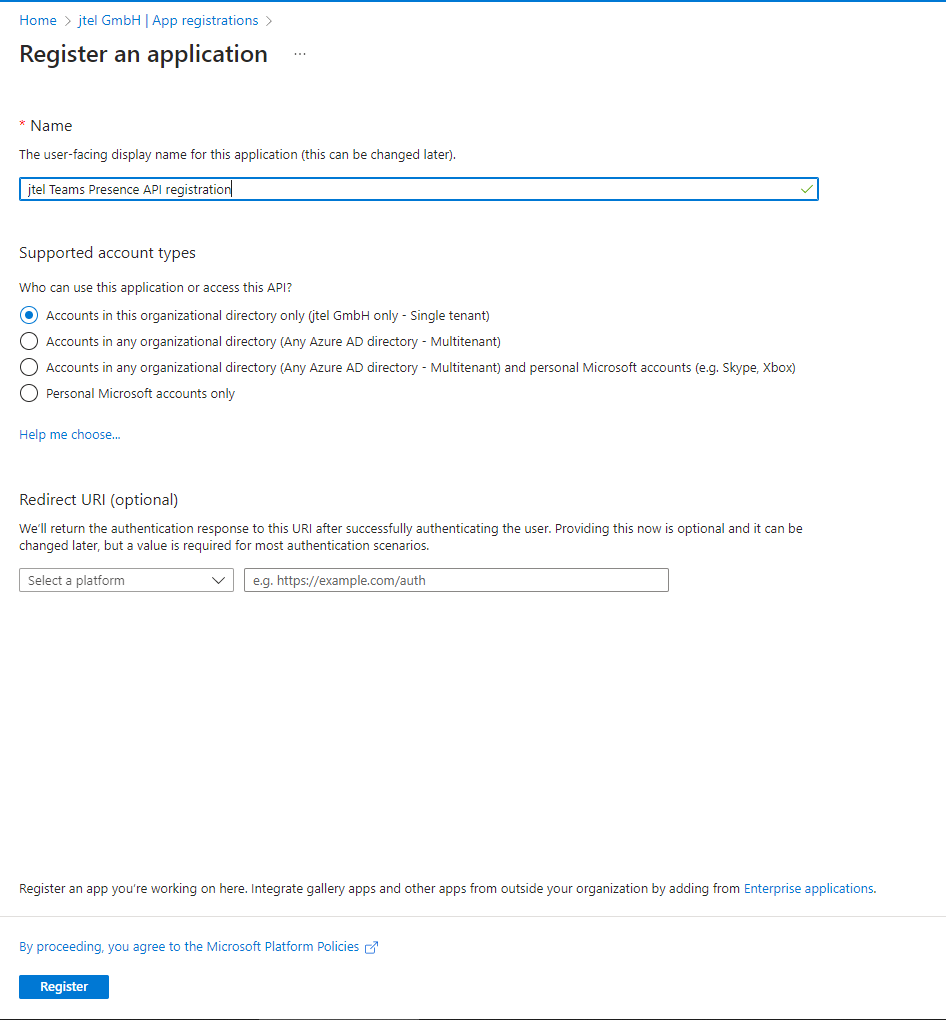
Create App RegistrationIn the Azure Active Directory of your Tenant, navigate to App registrations and create a New registration. Choose a name and select "Register".
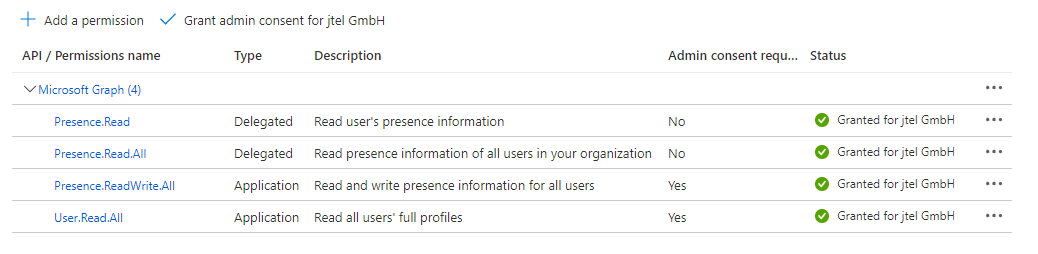
Grant PermissionsThe Presence Connector requires permissions to read the users presence status. Configure the following permissions with "Add a permission" and grant the permssions by clicking on "Grant admin consent for <Tenant Name>".
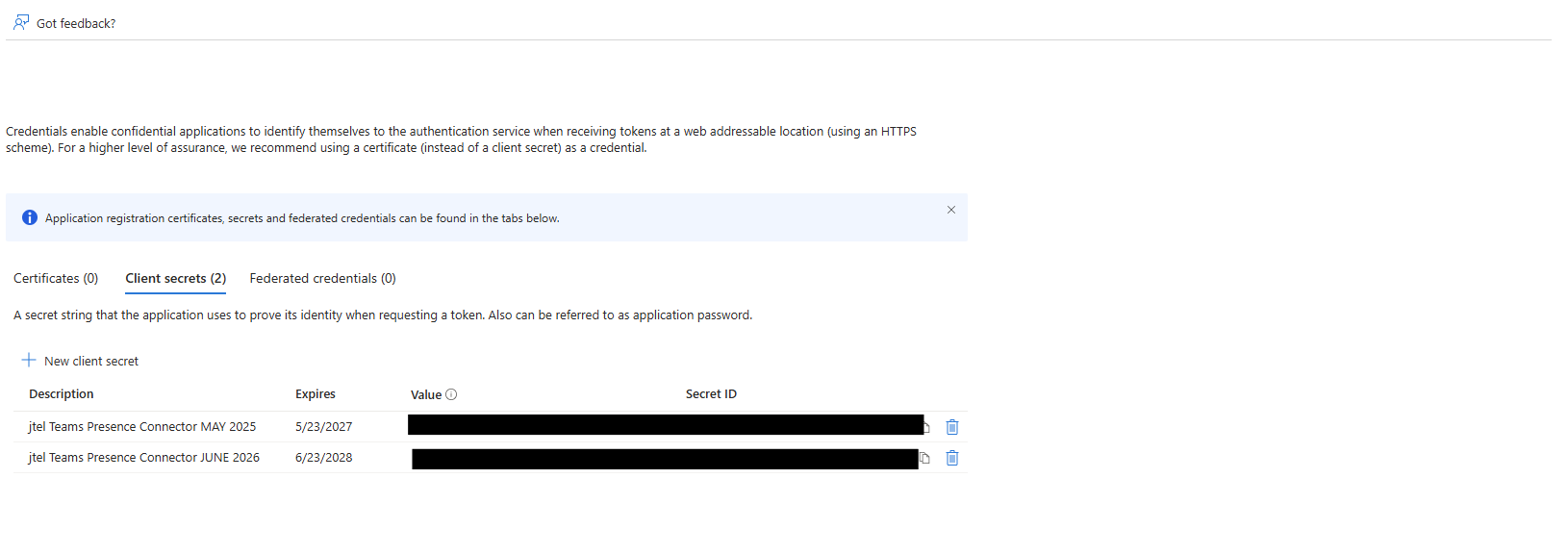
Create a Client SecretNavigate to Certificates and Secrets and click on "New client secret" to add a new secret.
Gather all InformationPlease provide all information on the following table to the contact who will be configuring the jtel Teams Presence Connector in your jtel ACD: Note: The Secret Value is required, not the Secret ID.
|
...